
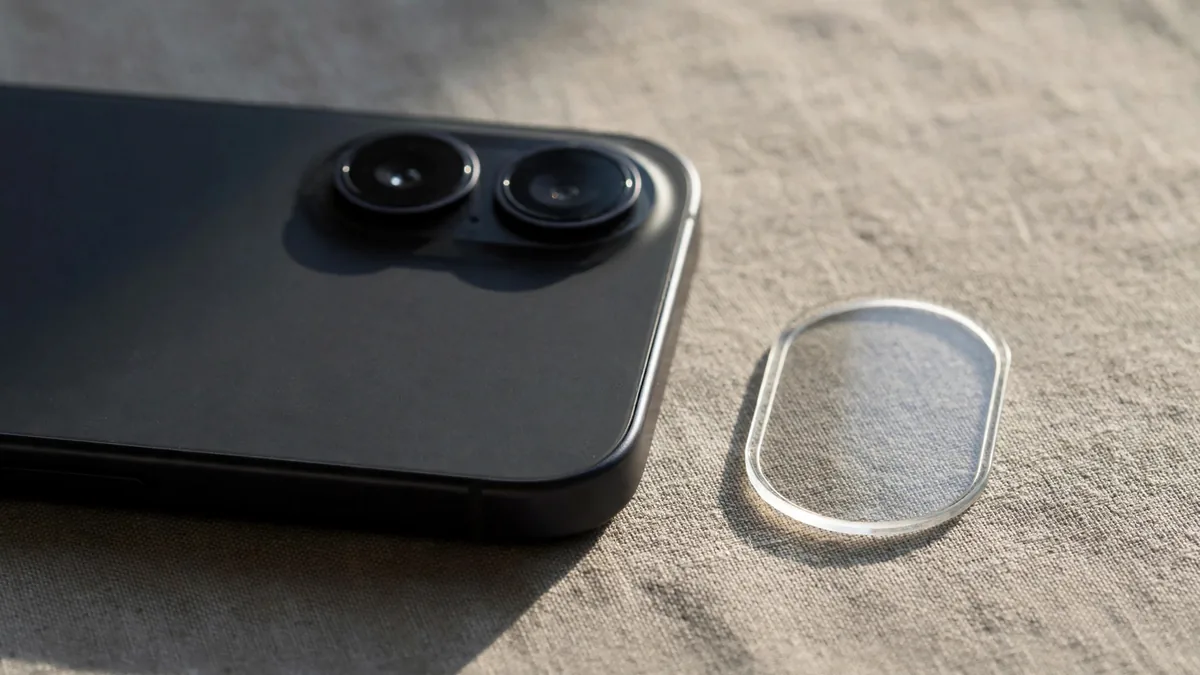
An iPhone camera lens protector is one of the cheapest accessories you can buy, and one of the easiest to regret. It can save the camera bump from a scratch on a rough table. It can also add a green ghost dot to every night photo of a street light. Whether it helps or hurts depends on the style, the quality of the glass and how carefully it is fitted.
This guide is only about the small protectors that cover the rear lenses. For the front of the phone, see our separate guide on screen protector types.
What Apple already puts over the lenses
The rear lenses on recent iPhones already sit under a cover of sapphire crystal, which is very hard to scratch. Apple lists it on its iPhone specification pages. Everyday keys and coins are unlikely to mark it.
Sapphire is hard but it can still chip or crack from a sharp knock on the edge. Sand and some grit can also scratch it. The camera bump is the first part of the back to touch a table, so it does take wear. A lens protector adds a sacrificial layer to absorb those knocks. If it breaks, you peel it off and fit a new one instead of paying for a camera repair.
So the honest answer is that a protector is insurance, not a necessity. If you use a good case with a raised lip around the camera, you may not need one at all.
Why some protectors ruin night photos
Every extra layer of glass is another surface for light to bounce off. In daylight that rarely shows. At night, with bright points of light in the frame, a few problems appear:
- Ghosting. A faint copy of a street light or headlight appears somewhere else in the frame, often as a green or purple dot.
- Flare and haze. Light catches the edges of the protector and spreads a soft glow across the photo, lowering contrast.
- Flash bounce. If the protector covers the flash, some light reflects straight back into the lens, giving a washed-out look in close-up flash photos.
- Soft focus or autofocus hunting. Low-quality glass, bubbles or dust under the protector can blur images or confuse focus, especially in macro shots.
iPhones can show some lens flare even with nothing fitted, so test properly. Before fitting a protector, take a photo of a bright light in a dark room. Take the same shot after fitting it. If the ghosting or haze is clearly worse, the protector is the problem.
Ring style vs full-sheet style
There are two main designs on sale in Lahore.
Individual ring protectors fit over each lens separately, usually a small disc of glass held in a metal or plastic ring. They leave the flash, microphone and LiDAR scanner on Pro models uncovered, which reduces flash bounce. They also look neater. The downside is alignment: if one ring sits slightly off centre, the edge of the ring can appear in Ultra Wide shots as dark corners. Rings can also catch dirt along their edges.
Full-sheet protectors are one piece of glass covering the whole camera bump. They are quicker to fit and protect the gaps between lenses. However, they also cover the flash and sensors, and a single large sheet has more surface area to trap dust. Cheaper sheets may have printed circles that don't line up exactly with your model's lenses.
Neither is automatically better. Look for thin, clear glass with an anti-reflective coating and a cutout or ring for each lens that matches your exact model. Camera layouts change from one generation to the next, and a protector for the 16 Pro will not suit a 17 Pro.
How to fit one without trapping dust
Fit it in a clean, still room, not under a ceiling fan.
- Wash and dry your hands, and take the phone out of its case.
- Wipe the camera bump with the alcohol wipe usually included, then with the dry microfibre cloth.
- Use the dust sticker to lift any remaining specks from each lens.
- If the protector comes with an alignment frame, use it. Hold the protector by its edges or tab and line it up before it touches the glass.
- Press gently from the centre outwards, then around each ring or edge.
- Put the case back on and check it doesn't push against the protector.
Then take test photos with each camera, including the Ultra Wide and zoom lens if your iPhone has them. Look at the corners for dark shapes and zoom in to check sharpness.
How to remove it without scratching the lens
Most damage happens during removal, not use. Never use a metal tool, a pin or a knife near the lens.
Lift one edge with a fingernail or a thin plastic card, then peel slowly. If the glass is cracked, put a strip of clear tape across it first to hold the pieces together. Wipe away any adhesive left behind with a soft cloth and a little isopropyl alcohol. Don't heat the camera area with a hair dryer or heat gun, as heat can damage the adhesive inside the phone.
If a protector has been on a used iPhone you're buying, ask the seller to remove it before you check the cameras. A protector can hide a scratched or cracked lens cover. Our used iPhone camera check explains what to test.
Frequently asked questions
Do lens protectors affect iPhone photo quality?
Good ones have little visible effect in daylight. Night shots with bright lights are where problems appear. Test with a photo of a light source before and after fitting, and remove the protector if the difference bothers you.
Will a lens protector stop my camera from breaking in a fall?
It can absorb a scrape or a minor knock on the bump. It won't stop internal damage from a hard drop. A case with a raised lip around the camera does more for drop protection.
Can I use a lens protector with a MagSafe case?
Usually, yes. But a thick ring style may press against the camera opening on some cases. Fit the case and check the edges before you rely on the combination.
If you're shopping for a case and camera protection together, browse the accessories section or the Apple page on MacVault, and ask on WhatsApp what is available for your exact iPhone model.
Business: MacVault
Price Range: Expected price ranges confirmed before purchase
Phone: +92 339 4004289
Description: Browse iPhones, MacBooks, iPads, Apple Watch, AirPods, and PS5 products from MacVault in Lahore with clear condition, warranty, and stock details.
+92 339 4004289 <contact@macvault.store>