
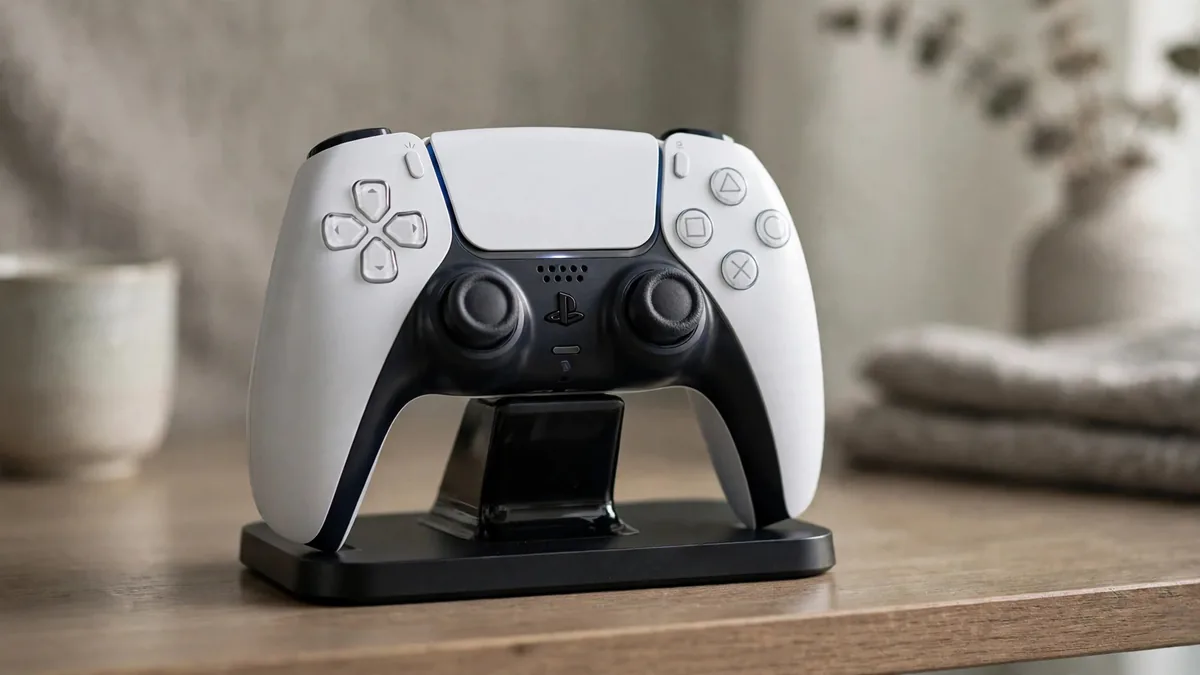
If you have two DualSense controllers in the house, you already know the routine. One is always flat when a friend comes over, and someone ends up playing with a cable stretched across the room. A PS5 controller charging dock fixes that by giving both pads a fixed place to sit and charge, so they are ready when you are.
Not every dock is equal, though. Some charge through the pins on the bottom of the controller, some push a plug into the USB-C port, and some are little more than a cheap power board in a plastic shell. This guide compares Sony's own station with third-party options, explains what each design does to your controller over time, and covers battery habits that matter when the power keeps cutting out.
How a DualSense can charge
The DualSense has a built-in rechargeable battery and two ways to take power:
- The USB-C port on the top edge, used by any cable or a plug-in dock.
- Charging contacts on the bottom edge, which Sony's DualSense Charging Station uses.
You can also charge from the PS5 itself, with a cable to one of its USB ports. In the console's Settings, System, Power Saving menu there is an option to supply power to USB ports in rest mode, so controllers keep charging after you stop playing. That is free and works well, but it ties the controllers to the console and to its power.
Sony's DualSense Charging Station
The official DualSense charging station holds two controllers upright and charges them through the bottom contacts. You slide in the small adapters that come with it, and drop the controllers in. It runs from its own wall adapter, not from the PS5.
What it does well:
- No wear on the USB-C port. Nothing is plugged into the controller, so the port is saved for wired play or updates.
- Clean fit. Made for the DualSense shape, so controllers sit securely and contacts line up.
- Works with the console off. Charging continues whether the PS5 is on, in rest mode or switched off at the wall.
The downsides are price and availability. In Pakistan the official station usually costs more than generic docks, and fakes exist. Check the packaging, the adapters included and the build quality, and buy where you can inspect it.
Third-party docks and stations
Third-party docks come in two main designs, and the difference matters more than the brand name.
Contact-pin docks work like Sony's, using the bottom connectors. Good ones are fine. Weaker ones have loose cradles, so a controller that is slightly off-centre will not charge, and you only find out when it is dead the next day.
Plug-in docks use small USB-C adapters that stay in the controller's port, or a fixed USB-C plug the controller sits onto. These are often cheaper and charge reliably, but they put mechanical stress on the port. Rocking the controller in and out, or knocking it while seated, can loosen the port over months. If you choose this style, lift controllers straight up and down, never at an angle.
Whatever the design, look at these points:
- Power input. A dock that runs from its own adapter is more predictable than one powered from a PS5 USB port, which may supply less current.
- Indicator lights that clearly show charging versus full.
- A stable base, especially in homes with children or pets.
- Clear seller description. Ask whether it is tested with the current DualSense and the DualSense Edge, which has a slightly different shape.
Load-shedding and power quality
In much of Pakistan the real threat to controller batteries is not the dock but the power feeding it. Repeated cuts, voltage drops and the surge when supply returns all reach anything plugged into the wall.
Some practical habits:
- Plug the dock into a surge-protected strip, not straight into an old wall socket. Our guide on protecting electronics from power surges explains what a basic protector does and does not do.
- Use a decent adapter. A generic dock is only as safe as the charger behind it. Avoid unbranded bricks that get hot quickly.
- Put the dock on the UPS only if the UPS has capacity to spare. If you already run the PS5 and TV on backup, check the load first. Our UPS for PS5 guide covers sizing.
- Keep it out of the sun and away from heat. A dock on a windowsill in June will cook the batteries sitting in it.
Looking after the DualSense battery
The DualSense battery is lithium-ion, so the same habits that help a phone help a controller.
- Do not store it completely flat. A controller left dead in a drawer for months can be slow to wake up or may hold less charge afterwards. Top it up every few weeks.
- Heat is the biggest enemy. Charging a hot controller straight after a long session in a warm room adds wear. Give it a few minutes.
- Dim the light bar and vibration. In the PS5 settings under Accessories, Controllers, you can lower the light bar brightness and the strength of vibration and trigger effect, which stretches each charge.
- Set controllers to switch off when idle. Under Settings, System, Power Saving you can choose how long before an unused controller turns off, so a forgotten pad does not drain overnight.
If a controller runs flat much faster than it used to, the battery may be wearing out. That, a loose port or drifting sticks are all signs to compare repair against replacement. Our PS5 controller drift fix guide covers the stick side of that decision.
Frequently asked questions
Can a charging dock damage my DualSense?
A well-made contact-pin dock is gentle on the controller. Plug-in docks can wear the USB-C port if controllers are rocked in and out, and any dock running from a poor adapter carries some risk during power surges.
Does the official charging station work with the DualSense Edge?
Sony lists the Edge as supported by its charging station. For third-party docks, ask the seller whether the Edge fits and charges properly before you buy, because the shape differs slightly.
Is it okay to leave controllers on the dock all the time?
Generally, yes. The controller manages its own charging. Just keep the dock in a cool place and on surge-protected power, and take controllers off if you are travelling for weeks.
Should I buy a dock or a second controller first?
If arguments are about whose turn it is to charge, a dock helps. If someone is always waiting for a pad, a second controller is the better buy. Our PS5 controller price in Pakistan guide explains what to check on new and used pads.
Pick the setup that fits your home
Decide whether you want to protect the USB-C port, which favours a contact-pin dock, or keep costs down, which favours a plug-in design handled carefully. Then browse PlayStation controllers and PlayStation cables, and message MacVault on WhatsApp to confirm what is in stock and today's price.
Business: MacVault
Price Range: Expected price ranges confirmed before purchase
Phone: +92 339 4004289
Description: Browse iPhones, MacBooks, iPads, Apple Watch, AirPods, and PS5 products from MacVault in Lahore with clear condition, warranty, and stock details.
+92 339 4004289 <contact@macvault.store>