
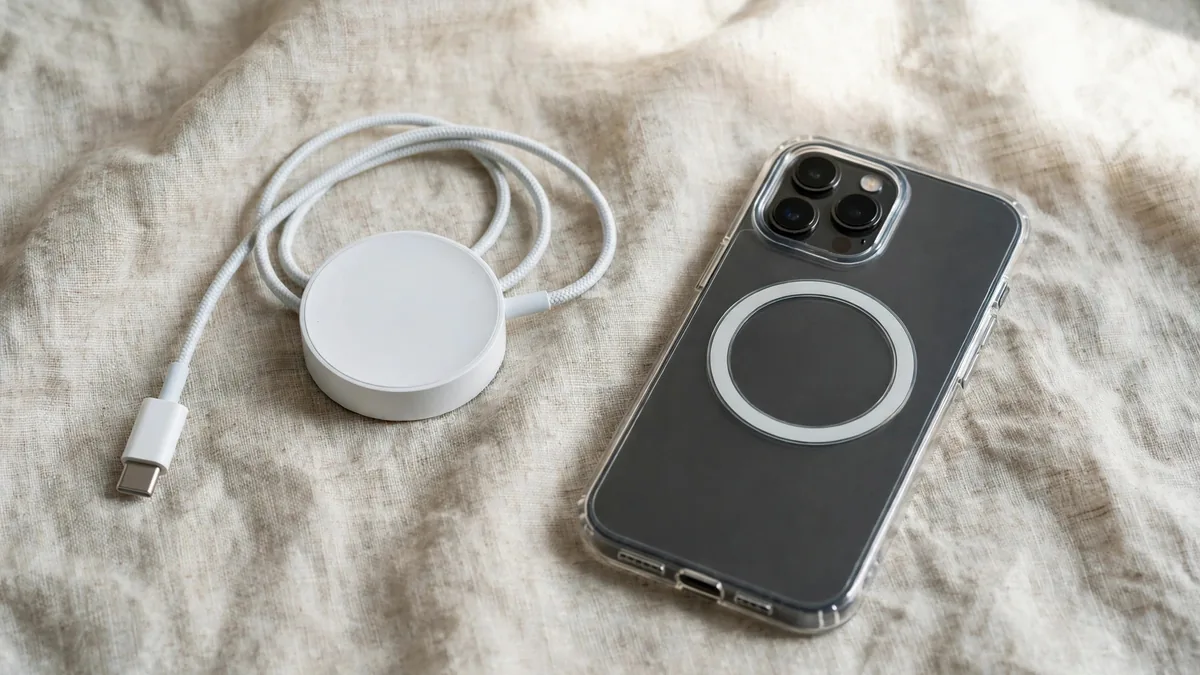
Magnetic chargers are everywhere now, from mall kiosks to Hafeez Centre counters to Instagram shops that deliver by courier. A MagSafe charger Pakistan buyers choose needs more than a round white disc and an Apple logo on the box: it needs the right magnetic alignment, safe power handling and a trustworthy cable. Very few are the Apple MagSafe charger, and some are not even proper magnetic chargers inside.
This guide covers what a MagSafe charger in Pakistan should actually do for your iPhone, how it differs from Qi2 and ordinary Qi pads, which adapter it needs, and the checks that separate a genuine Apple puck from a convincing copy.
MagSafe, Qi2 and plain Qi: three different things
- Plain Qi is the older wireless standard. A flat pad, no magnets. iPhones from the iPhone 8 onwards can use it, but it charges slowly and only works if the coil sits in the right spot. Move the phone a little and charging can stop.
- MagSafe is Apple's magnetic system, built into the iPhone 12 and later. A ring of magnets snaps the charger into the right position every time, which wastes less energy as heat and allows faster charging than plain Qi. Two notable exceptions: the iPhone SE models and the iPhone 16e have no MagSafe magnets, so a MagSafe puck only charges them as a basic Qi pad and will not hold on.
- Qi2 is the open standard that grew out of MagSafe. It uses the same magnetic alignment, so a certified Qi2 charger snaps onto a MagSafe iPhone and charges faster than plain Qi. Apple has added Qi2 support to recent iPhones through iOS updates, so check Apple's support page for your exact model and its supported speed.
How much wattage you actually get
The number printed on a wireless charger's box is the best case, not what you will see every day. Real speed depends on three things.
- The phone model. Older MagSafe iPhones accept less wireless power than newer ones, and the iPhone 12 mini and 13 mini were capped lower than their bigger siblings. Apple's newer MagSafe charger can deliver more power to recent models, but only those models.
- The power adapter behind it. A MagSafe charger is only as fast as the brick it is plugged into. Apple specifies a USB-C Power Delivery adapter, and the faster MagSafe speeds need a higher-watt one. Plug a MagSafe puck into an old 5W cube or a weak laptop port and it will crawl. Check Apple's MagSafe page for the adapter wattage your charger and phone need.
- Temperature. iPhones slow or pause wireless charging when they get warm. In Lahore that is not a minor point.
Heat: the real cost of wireless charging here
Wireless charging always produces more heat than a cable, because some energy is lost between the two coils. That matters more in a city where April afternoons already push indoor rooms past comfortable, and fans stop during load-shedding.
- Expect pauses in hot weather. If the phone gets warm, iOS may hold charging around 80% until it cools. This is protection, not a fault.
- Take off thick cases. A bulky non-MagSafe case weakens the magnet and traps heat. Use a MagSafe-compatible case so the alignment stays right; our iPhone 17 case guide explains what to look for.
- Never leave cards or metal between phone and charger. Card wallets, metal rings and pop sockets block charging and can damage cards with magnetic strips.
- Charge on a hard surface, not on a pillow or under a blanket, and keep the puck out of direct sun near a window.
- Watch your power source. If you charge from a UPS or inverter, plug the adapter into a surge-protected extension. A poor adapter on dirty power is the weak link, not the puck.
How to tell a genuine Apple MagSafe charger from a copy
Read the model and power markings on the puck or cable and compare them with Apple's documentation for that specific charger. Inspect the cable and connector for fraying or damage. A convincing animation or strong magnet alone tells you little about authenticity. If you can test it, use a compatible USB-C power adapter and check that charging remains steady. Ask who will handle a fault if the charger turns out to be different from the description.
Choosing a third-party wireless charger for iPhone in Pakistan
You do not need Apple's own puck. A good wireless charger for iPhone from an established brand can be the better buy, especially stands and 2-in-1 or 3-in-1 docks that also charge AirPods or an Apple Watch.
- Look for Qi2 certification or Apple's MFM (Made for MagSafe) badge, and check the brand's own website for the model, not just the box.
- Be wary of "magnetic Qi" or "MagSafe compatible". These usually mean a plain Qi coil with a magnet ring added. They work, but slowly.
- Check what adapter is included. Many docks need a specific wattage adapter that is not in the box.
- Watch Apple Watch support. A dock with a watch spot must use a charger that matches your watch model.
Since copies of well-known brands circulate too, the same weight, print and charging tests apply. For a wider view of chargers and cables, see our Apple accessories guide for Lahore and the original iPhone charger guide, which covers the 20W adapter in detail.
Frequently asked questions
Does a MagSafe charger work with an iPhone 11?
It will charge an iPhone 11 as a basic Qi pad, but there are no magnets in the phone, so the puck will not hold on and charging is slow. A plain Qi pad or a cable is the better choice for that model.
Is wireless charging bad for the iPhone battery?
Not in itself, but it creates more heat than a cable, and heat is what wears batteries. Charge on a hard surface, avoid thick cases and let iOS pause when the phone is warm.
Can I use a MagSafe charger with a case on?
Yes, if the case is MagSafe compatible and thin. Thick or non-magnetic cases weaken the hold and slow charging, and anything metal or a card between the phone and charger should be removed.
Is Qi2 as good as Apple's MagSafe charger?
A certified Qi2 charger uses the same magnetic alignment and can charge supported iPhones at a similar speed. The best speeds depend on your model and the adapter, so check both before you choose.
Next step
Tell MacVault on WhatsApp which iPhone you have and whether you want a puck, a stand or a dock. We will say whether the unit is Apple or third-party, send current photos and confirm today's price. You can also browse the accessories page and the cables section.
Business: MacVault
Price Range: Expected price ranges confirmed before purchase
Phone: +92 339 4004289
Description: Browse iPhones, MacBooks, iPads, Apple Watch, AirPods, and PS5 products from MacVault in Lahore with clear condition, warranty, and stock details.
+92 339 4004289 <contact@macvault.store>