
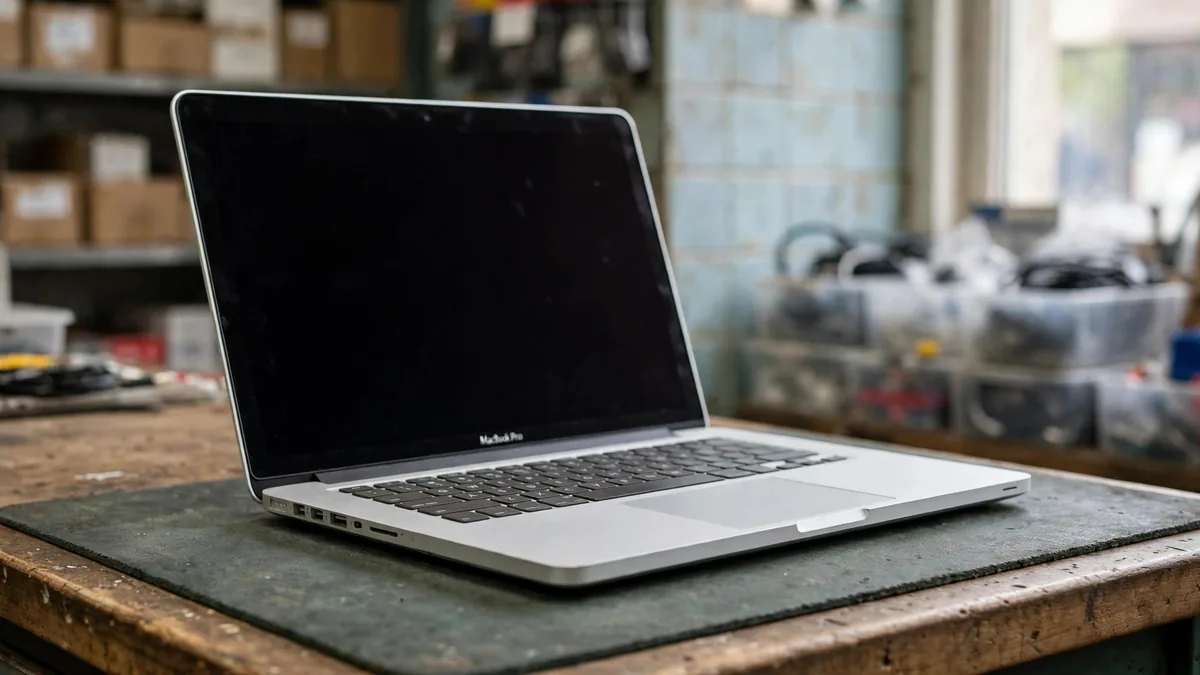
Search OLX for a cheap MacBook and the 2017 MacBook Pro turns up again and again. It looks almost identical to much newer models, the aluminium still feels premium, and the asking price is low. So is a MacBook Pro 2017 worth it in 2026? For a narrow set of buyers, yes. For most students and office users, it is a machine that will cost more in frustration than it saves in money.
This post goes through the four things that decide it: software support, the keyboard, the battery and heat. Then it covers who should still consider one and when to stretch to an M1.
Know which 2017 model you are looking at
Apple sold three main versions that year, and adverts often blur them together:
- 13-inch with two Thunderbolt 3 ports. No Touch Bar, function keys instead. Intel Core i5 or i7.
- 13-inch with four Thunderbolt 3 ports. Adds the Touch Bar and Touch ID, and generally a faster processor.
- 15-inch with four Thunderbolt 3 ports. Touch Bar, Intel Core i7, 16GB of memory and a separate graphics chip.
Ask the seller for a screenshot of About This Mac showing the model, processor, memory and storage. Configurations with 128GB storage or 8GB memory feel tight today, especially if you keep large files or many browser tabs. You can check the original specification against Apple's tech specs for the 13-inch 2017 model.
Software support has already ended
This is the biggest point. The 2017 MacBook Pro tops out at macOS Ventura. It cannot officially install Sonoma, Sequoia or macOS Tahoe. Apple's newer releases left it behind, and over time older macOS versions stop getting security updates too.
In practice, that means:
- Browsers and apps gradually drop support for older macOS versions. Everything may work today and refuse to update next year.
- Current versions of Xcode need a newer macOS, so a 2017 MacBook is a poor choice for students learning iOS app development.
- University and office software that demands a recent macOS may not install.
- Apple Intelligence and other newer macOS features are not available.
Before paying, list the apps you must run and check each one's minimum macOS version. If even one critical app needs something newer than Ventura, the decision is made.
The butterfly keyboard
The 2016 to 2019 MacBook Pros used the butterfly keyboard. Its keys have very little travel, and dust or crumbs can cause keys to stick, repeat letters or stop registering. Apple ran a keyboard service programme for affected models, but it covered a limited period after the original sale and has long since ended for 2017 machines.
When you inspect one, open a text editor and type every key several times, including the space bar and the arrows. Watch for doubled letters, missing letters and keys that feel crunchy or flat. On Touch Bar models, check every segment of the Touch Bar responds and that Touch ID accepts a fingerprint.
Repairing the keyboard is not a quick key swap. On these models it is built into the top case with the battery, so a proper repair is expensive relative to the laptop's value.
Battery, charging and heat
Most 2017 MacBook Pros are on their original battery or a third-party replacement by now. Hold the Option key and click the Apple menu, then open System Information > Power to see the cycle count and condition. If it says "Service Recommended", plan for a battery replacement. Our MacBook battery cycle count guide explains what the numbers mean.
Also check for a swollen battery. Lay the laptop on a flat table and look for a lifted bottom case, a trackpad that clicks unevenly or a lid that no longer closes flush. A swollen battery is a safety issue, not a bargaining point.
Intel chips run warmer than Apple silicon. During a Lahore summer, with no air conditioning during load-shedding, a 2017 MacBook Pro will spin its fans loudly under load and may slow down to manage heat. Run a YouTube video and a few browser tabs for ten minutes during inspection and listen to the fans. Battery life on battery-only work days will be far shorter than a modern Mac.
Other checks before buying
- Plug a charger into every Thunderbolt port and confirm each one charges.
- Look at a white screen for stains, worn coating or uneven backlight along the bottom edge.
- Confirm the Mac is signed out of iCloud and Find My is off. Ask the seller to erase it in front of you.
- Check whether the charger is genuine and of the right wattage.
- Ask about past repairs, especially keyboard, display and logic board work.
Who a 2017 MacBook Pro still suits
It can make sense if:
- Your budget truly cannot stretch further and your needs are browsing, email, documents and video calls.
- You need an Intel MacBook for a specific reason, such as running Windows natively through Boot Camp or an old Intel-only tool.
- You are buying a cheap second machine for a fixed task, not your only computer.
Even then, buy one with a healthy battery, a clean keyboard and at least 256GB of storage.
When to stretch to an M1
For most buyers, a MacBook Air M1 is the smarter target. It is faster, runs silently without a fan, lasts much longer on battery and is still supported by current macOS. Our Intel vs M1 MacBook comparison goes deeper, and the MacBook Air M1 price guide shows what to check on that model.
Work out the gap honestly. Add a likely battery replacement and the cost of a replacement charger to the 2017 asking price. Then compare that total with a clean M1 Air. The gap is often smaller than the advertised prices suggest.
Frequently asked questions
What does MacBook Pro 2017 price in Pakistan depend on?
Size, processor, storage, keyboard condition and battery health matter most. A 15-inch with a healthy battery and working keyboard is worth noticeably more than a worn 13-inch. Always check current listings for the exact configuration.
Can a 2017 MacBook Pro run the latest macOS?
No. Its last official version is macOS Ventura. Check that the apps you rely on still support Ventura before buying.
Is the 15-inch 2017 better than the 13-inch?
It has more memory, a stronger processor and dedicated graphics, which helps with editing. It also runs hotter and is heavier. For light work, neither beats an M1 Air.
If you are shopping for a used MacBook Lahore buyers can rely on, browse the MacVault Mac range and the Apple store page. Message MacVault on WhatsApp with your budget and what you need the laptop for, and ask for photos, battery details and today's price on the units that fit.
Business: MacVault
Price Range: Expected price ranges confirmed before purchase
Phone: +92 339 4004289
Description: Browse iPhones, MacBooks, iPads, Apple Watch, AirPods, and PS5 products from MacVault in Lahore with clear condition, warranty, and stock details.
+92 339 4004289 <contact@macvault.store>