
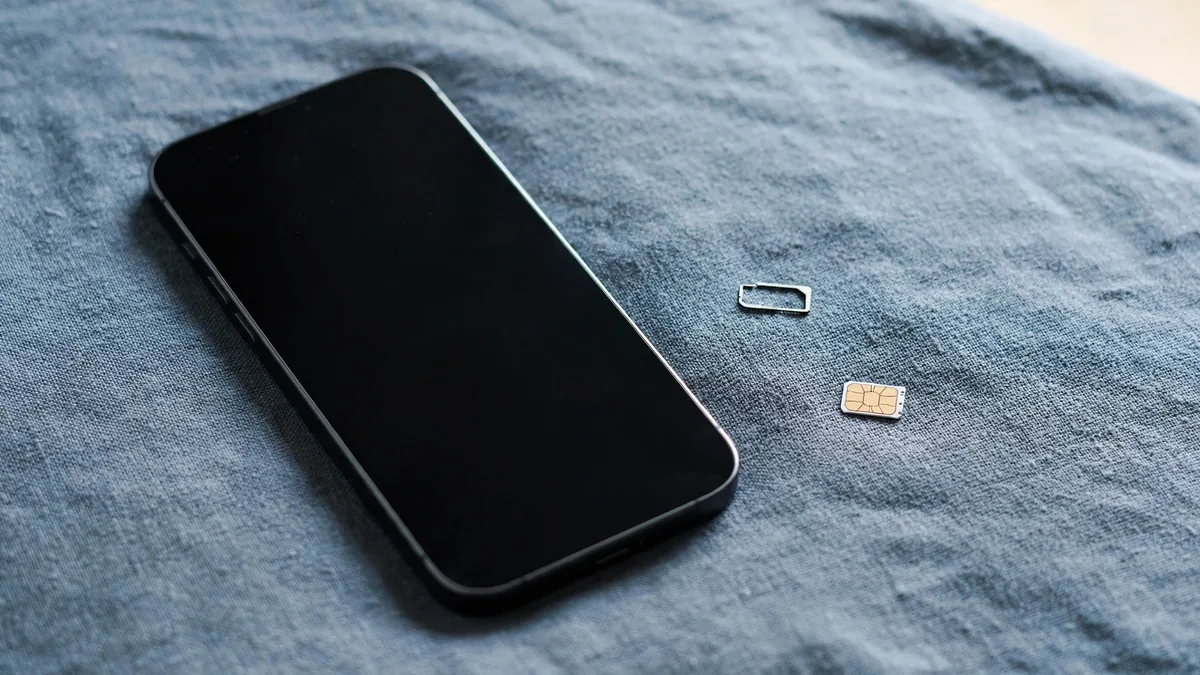
The iPhone SIM not supported message usually appears at the worst moment: right after an update, a new SIM or a fresh purchase from OLX. It sounds like a hardware fault, but most of the time the phone is working exactly as designed. It's refusing a SIM because of a lock, a registration problem or a workaround that has stopped working.
The trick is to check the causes in the right order, from free and quick to expensive. Different problems also produce slightly different messages, and that difference tells you a lot. Here is the sequence that saves the most time and money in Pakistan.
First, read the exact message
Note the exact words on the screen and in the status bar before changing anything.
- "SIM Not Supported" usually points to a carrier lock. The phone was sold tied to a foreign network and won't accept other SIMs.
- "No SIM" or "Invalid SIM" points more to the card, the tray or the SIM reader.
- "No Service" with the SIM recognised often points to a network or registration problem, including a phone that is blocked on Pakistani networks.
Take a screenshot. If you end up at a repair shop or messaging a seller, the exact message is more useful than "my SIM isn't working".
Step 1: Try a different SIM
Borrow a working SIM from another network, such as a family member's Jazz, Zong, Telenor or Ufone card, and put it in the phone.
If the second SIM works, your own card is the problem. Visit your network's franchise for a replacement SIM; the number stays the same once your identity is verified. If no SIM works at all, keep going.
Step 2: Check the carrier lock setting
On iOS 14 and later, go to Settings, General, About and scroll to Carrier Lock (some versions call it Network Provider Lock).
- No SIM restrictions means the phone is unlocked. The lock isn't your problem.
- SIM locked means the phone only accepts SIMs from the carrier it was sold by.
Many cheaper iPhones in Lahore are JV phones that were originally locked to a US, UK or Japanese network. Only that original carrier can unlock it properly, normally after the contract or instalment plan was paid off. Shops offering "permanent unlock" by IMEI for locked phones should be treated with great caution. Many of these services don't work or don't last. Our guide to JV, FU and patched iPhones explains the differences.
Step 3: Suspect the patch after an iOS update
If the phone is SIM locked but worked until recently, it was probably running on a workaround. Common examples include a thin chip placed under the SIM card (often called a turbo or gevey SIM) or a modified setup that tricks the phone into accepting a local SIM.
iOS updates and carrier settings updates often break these workarounds. One morning the phone shows "SIM Not Supported" and nothing seems to have changed. Sometimes the chip vendor releases a new mode or setting. Often there is no fix at all, and you can't go back to an older iOS version once Apple stops signing it.
If you own a patched phone, think carefully before installing updates. If you're buying one, assume that it can stop working after any update and price it accordingly.
Step 4: Check PTA registration
If the phone accepts the SIM but shows no service, check whether the IMEI is registered on Pakistani networks. Dial *#06# to see the IMEI, then check it on the PTA DIRBS website. Our IMEI check guide explains how to read the result.
A non-PTA phone may work for a limited period on a local SIM before being blocked. The length of that period and the rules for registering it have changed over the years, so check the current rule on the DIRBS website instead of relying on what a seller says. Paying PTA tax and registering can restore service on an unlocked phone. It won't remove a carrier lock, though. A JV phone still needs a working workaround after registration.
Step 5: Look at the tray and the reader
Only after the above should you suspect hardware.
- Restart the phone. Go to Settings, General, About and wait a minute. If a carrier settings update is offered, install it.
- Remove the SIM tray with the proper tool. Check that it's the right tray for your model and isn't bent. Trays from other models or cheap replacements may not seat the SIM correctly.
- Clean the SIM's gold contacts gently with a dry, lint-free cloth and refit it.
- Look for signs of water damage in the tray slot. A phone that got wet in the monsoon rain can develop SIM reader faults.
- If a dual-SIM phone has eSIM in use, check Settings, Mobile Service (called Cellular in some regions) to make sure the right line is turned on for calls and data.
Some iPhone models sold in the US since the iPhone 14 have no SIM tray at all and use eSIM only. If there's no slot on the side, a physical SIM isn't an option, and the eSIM will need to come from a local network.
If a physical SIM still isn't read after all of this, the reader or board may need repair. Get a written quote and ask what is being replaced.
Avoiding this problem when you buy
Before handing over money for any iPhone, put your own SIM in it and make a call. Check the Carrier Lock line in Settings and the PTA status of the IMEI. Ask the seller in writing whether the phone is PTA approved, factory unlocked, JV or patched. If you need the phone for the next few years, a factory unlocked, PTA-approved unit avoids every step in this guide. The factory unlocked check shows how to confirm it.
Frequently asked questions
Can a software update fix "SIM not supported"?
Only if the cause was a software bug or old carrier settings. If the phone is carrier locked, no update will unlock it, and an update is more likely to break a patch than fix it.
Will a factory reset remove the carrier lock?
No. The lock is recorded by Apple and the original carrier against the IMEI. Erasing the phone doesn't change it, and you'll lose your data if you try.
Is it worth paying for an IMEI unlock service in Lahore?
Be very careful. A genuine unlock can only come from the original carrier. Ask exactly how the unlock works, whether it survives updates, and what happens if it fails. Get the answers in writing before paying.
If you'd rather avoid locks altogether, browse the iPhone section on MacVault, where listings show PTA status when it's available. You can also contact MacVault on WhatsApp to confirm the status of a particular unit.
Business: MacVault
Price Range: Expected price ranges confirmed before purchase
Phone: +92 339 4004289
Description: Browse iPhones, MacBooks, iPads, Apple Watch, AirPods, and PS5 products from MacVault in Lahore with clear condition, warranty, and stock details.
+92 339 4004289 <contact@macvault.store>