
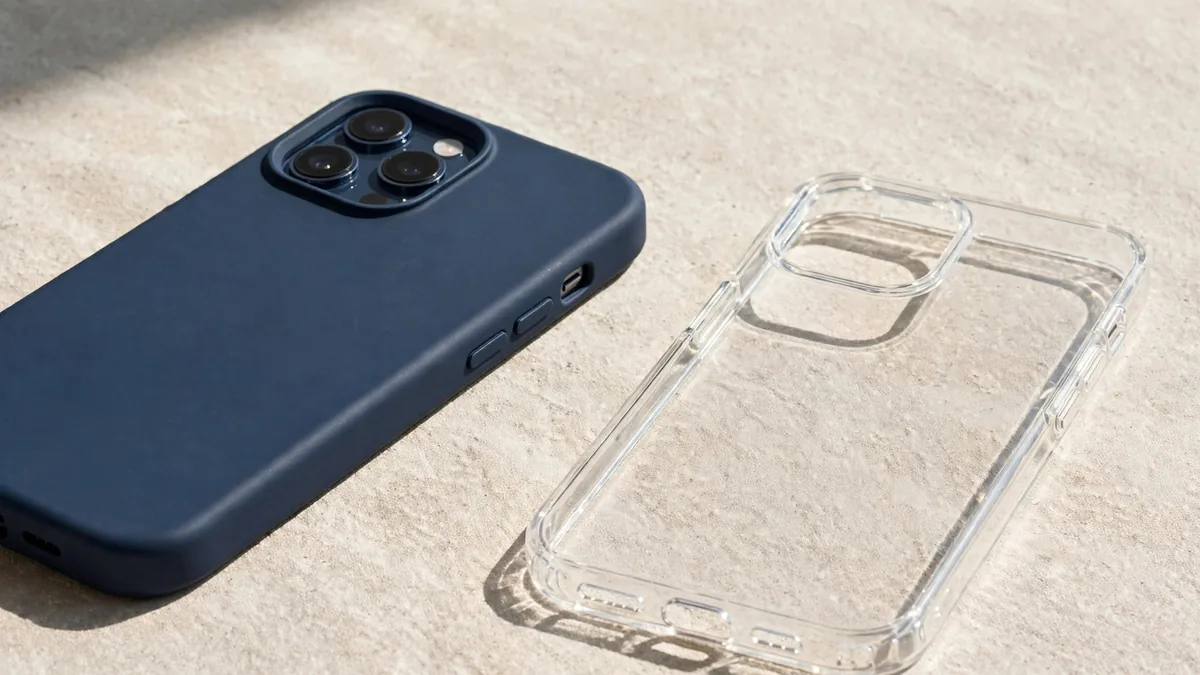
Walk through any mobile market and you will see hundreds of covers hanging on hooks, many of them labelled for the newest iPhone. Choosing an iPhone 17 case Lahore shoppers can trust is less about colour and more about fit, real drop protection and whether MagSafe accessories still snap on properly. A cheap case that fits loosely or blocks the camera can cost you far more than the case itself.
This guide covers the iPhone 17, iPhone 17 Pro, iPhone 17 Pro Max and iPhone Air. For a wider look at chargers, cables and which accessories are safe to buy cheaply, see our Apple accessories guide for Lahore.
Start with the exact model
The 17 family has four different bodies, and case makers do not always label them clearly. Confirm your model in Settings, then General, then About before you shop.
- iPhone 17. A 6.3-inch display, bigger than the 6.1-inch iPhone 16, so a 16 case will not fit properly even though the phones look alike.
- iPhone 17 Pro. Also 6.3 inches, but with a different camera design that stretches across the top of the back. A 17 case and a 17 Pro case are not interchangeable, even though the screen size matches.
- iPhone 17 Pro Max. The large 6.9-inch model. Its weight makes drop protection more important than on the smaller phones.
- iPhone Air. A 6.5-inch, very thin phone with a single rear camera in a raised bar. Its slim body is the whole point, so many owners want a thin case, but the thin frame also deserves protection at the edges.
The most common mistake in shops is a 17 Pro buyer being handed a 17 case, or the other way round, because the boxes both say "6.3". Put the phone in the case before paying and check that the camera cutout lines up exactly.
What real drop protection looks like
- Corner design. Look for thicker or air-cushioned corners. Squeeze them; a good case has some give rather than hard, brittle plastic.
- Screen lip. Lay the phone face down on a flat counter. The case edge should hold the glass slightly off the surface. If the display touches the counter, the case does little for the screen.
- Camera lip. Put the phone on its back. The case should rise above the camera lenses so they never touch the table. On the Pro models the camera bar is large, so check every lens, not just one.
- Material. Hard polycarbonate backs with softer TPU edges are a good balance for most people. Pure soft silicone feels nice but stretches over time. Very rigid clear cases protect well but can crack at the corners.
- Grip. Lahore summers mean sweaty hands and a phone that slips. A slightly textured edge prevents more drops than any rating printed on the box.
MagSafe alignment and charging
All iPhone 17 models support MagSafe and Qi2 charging, according to Apple's specifications. A plain case without magnets lets a charger work, but the magnetic snap becomes weak or disappears, and wallets or car mounts slide off.
If you use MagSafe accessories, look for a MagSafe case:
- Check the ring. You can usually see or feel a circular magnet ring inside. It should sit centred, not off to one side.
- Test the snap. Attach a MagSafe charger or wallet in the shop. It should click into place and hold when you shake the phone gently.
- Charge briefly. If you can, charge for a minute and make sure charging starts straight away.
- Watch for heat. Thick cases with weak magnets push the charger slightly off-centre, which slows charging and adds heat. In Lahore's summer that matters, since iPhones slow charging when they get warm.
Our MagSafe charger guide goes deeper into chargers themselves; here the point is simply that the case must not get in their way.
Buttons, Camera Control and cutouts
Every model in the 17 line has an Action button and a Camera Control button on the side. Case makers handle Camera Control in two ways: an open cutout you press directly, or a covered section designed to pass your touch through.
A clean cutout is simple and reliable. A covered button only works if it is made well; on poor copies the light press and swipe gestures stop responding, and you end up taking photos by accident or not at all. Test press, light press and swipe before you buy.
Also check the volume and Action buttons. They should click crisply through the case, not feel mushy. The USB-C opening should be wide enough for your charging cable and any car charger plug, since some thick cases block chunkier plugs.
Spotting poor copies
Lahore markets sell genuine Apple cases, good third-party brands and copies dressed up as both. Clues that a case is a poor copy:
- Packaging with spelling mistakes, blurry printing or a wrong model name.
- Clear cases that already look slightly yellow in the shop.
- Magnet rings that barely hold a MagSafe charger.
- Camera or button cutouts that are a millimetre off, or rough plastic edges.
- A price close to the genuine Apple case but with no clear source.
A copy is not always a bad buy if it is priced as one and it fits well. The problem is paying for "original" and getting a cover that yellows in a month and lets the phone slip.
Matching the case to how you use the phone
- Commuting on bikes or rickshaws: a rugged case with thick corners and a firm screen lip.
- Office use with MagSafe wallet: a slim MagSafe case with a strong ring.
- iPhone Air owners who want thinness: a slim clear or polycarbonate case that still covers the edges and the camera bar.
- Heavy gamers or long video calls: avoid very thick cases that trap heat.
Pair the case with a properly fitted screen protector and check that the protector edges do not lift when the case goes on.
Frequently asked questions
Will an iPhone 16 case fit the iPhone 17?
No. The iPhone 17 has a larger 6.3-inch display and a different body, so a 16 case will either not close properly or cover parts of the screen. Buy a case made for the 17 and test it on the phone.
Can I use an iPhone 17 Pro case on the iPhone 17 Pro Max?
No. The Pro Max is a much larger phone. Even between the 17 and 17 Pro, which share a screen size, the camera layout is different, so always match the exact model name.
Is a MagSafe case worth it in Pakistan?
If you use or plan to buy a MagSafe charger, wallet or car mount, yes. A non-MagSafe case still allows wireless charging, but alignment is weaker and accessories may not hold, which also adds heat while charging.
How do I know if an iPhone Air case protects the camera?
Lay the phone on its back on a table. The case edge around the camera bar should lift the lens clear of the surface. If the bar touches the table, the case is too shallow.
Finding the right fit
MacVault stocks cases and other add-ons on the accessories page. Message MacVault on WhatsApp with your exact model, whether it is the 17, 17 Pro, 17 Pro Max or Air, and ask for current photos of the case you like before ordering. If you still need the phone itself, the iPhone page lists available units with condition and PTA status.
Business: MacVault
Price Range: Expected price ranges confirmed before purchase
Phone: +92 339 4004289
Description: Browse iPhones, MacBooks, iPads, Apple Watch, AirPods, and PS5 products from MacVault in Lahore with clear condition, warranty, and stock details.
+92 339 4004289 <contact@macvault.store>