
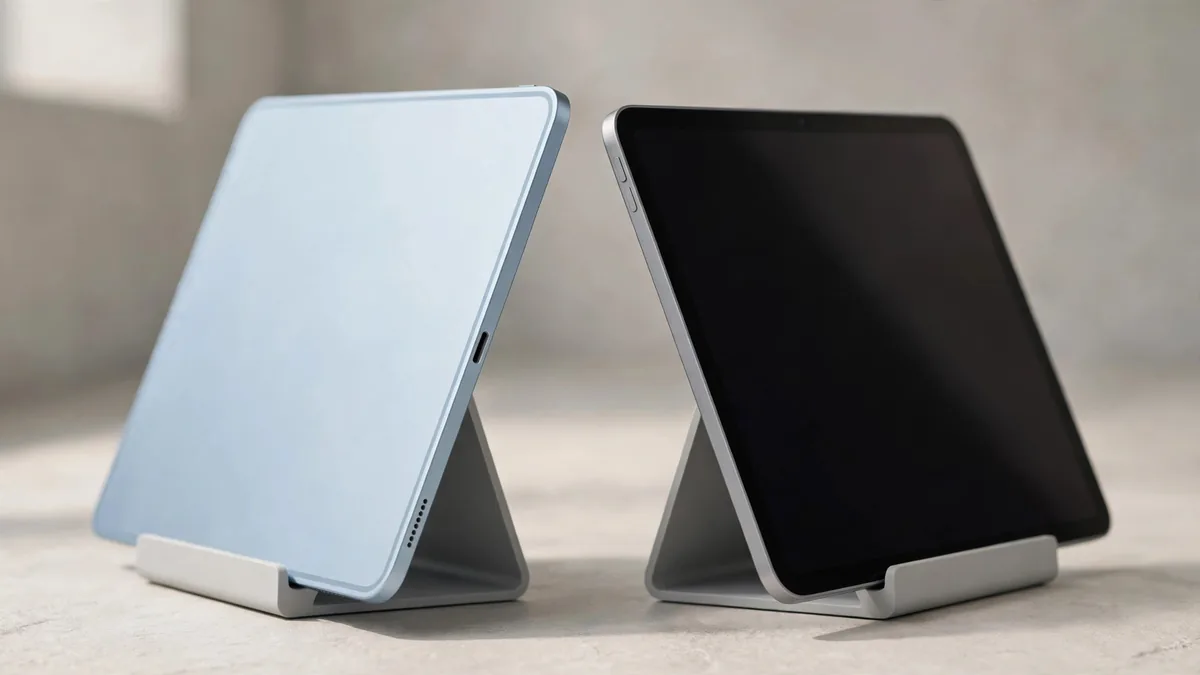
The iPad Air vs iPad Pro question is rarely about which tablet is faster. Both run iPadOS on M-series chips, both come in 11-inch and 13-inch sizes, and both work with a keyboard and Apple Pencil. The real differences are in the screen, the way you unlock it, the port, the accessories and how much of the extra headroom you will ever touch.
Start with your heaviest regular task rather than your most ambitious plan. A student who annotates PDFs all day and a freelancer who cuts 4K video for clients will reach different answers, and both can be right.
Know which models you are actually comparing
In mid-2026 the Lahore market carries more than one generation of each line. On the Air side you will see the M3 model from March 2025 and the newer M4 model. On the Pro side you will find the M4 Pro from May 2024 and the M5 Pro from October 2025, plus older open-box and used units of both families.
That spread matters because a quote for an "iPad Pro" might be a previous-generation unit that costs less than a new Air. Before comparing, write down the chip, screen size, storage, Wi-Fi or Cellular, PTA status for Cellular units, and condition for each offer. The iPad Pro price guide explains what separates the M4 and M5 Pro if a seller is quoting both.
The screen is the biggest everyday difference
Apple calls the Pro display Ultra Retina XDR. It is an OLED panel with very deep blacks, high brightness for HDR content and ProMotion, which refreshes at up to 120Hz so scrolling and Pencil strokes look smoother. The Air uses a Liquid Retina LCD panel. It is sharp, colour-accurate and fully laminated, but it does not offer the same contrast or ProMotion.
How much you notice depends on what you look at. Try these on both screens if you can:
- Scroll a long web page or a document quickly and watch the text.
- Open a dark film scene or a night photo in a dim room and look at the black areas.
- Draw a few fast lines in a notes app with the Pencil.
- Hold each tablet near a window and see which reflection bothers you more.
If you mostly read, browse and attend online classes, many people stop noticing the Air's panel after the first week. If you grade colour, edit HDR video or draw for hours, the Pro screen is the part you are paying for. The nano-texture glass option, available only on higher-storage Pro models, reduces glare further but needs careful cleaning, so only pick it if you work in harsh light.
Chip headroom: who needs the Pro's extra power
For notes, Office files, Zoom, streaming and most games, an M3 or M4 Air has more power than the apps ask for. The gap opens up in sustained heavy work: long 4K timelines in LumaFusion or Final Cut Pro for iPad, large multi-layer files in Procreate, or 3D and music projects with many tracks.
If iPad for editing is your reason for buying, think about your longest project rather than a quick test clip. Ask yourself:
- How long are your typical edits, and how many layers or tracks do they use?
- Do you export several times a day, or once at the end?
- Will you work in a hot room during load-shedding, when any tablet may slow down to protect itself?
Storage counts as much as the chip for video. The Air starts at 128GB, while the Pro starts at 256GB. A 128GB Air fills quickly with raw footage, so compare an Air with more storage against a base Pro rather than base against base.
Face ID, Touch ID and the port
The Pro unlocks with Face ID, which works in landscape on a keyboard without reaching for the top edge. The Air uses Touch ID in the top button.
On a used unit, test whichever one the tablet has. Enrol your own face or finger after the seller signs out and try it several times. A tablet that refuses to set up Face ID needs a closer look before you pay.
The Pro's USB-C port supports Thunderbolt, which helps if you move large video files to a fast external SSD or connect to a high-resolution monitor. The Air's port is standard USB-C. If you only charge the tablet and occasionally copy photos, you will not feel the difference.
Accessories change the real price gap
Keyboards and Pencils are not universal across iPad models. The Magic Keyboard made for the recent iPad Pro is a different product from the one made for the iPad Air, even when the sizes match. Pencil support also varies by generation, so check Apple's compatibility list for the exact tablet before buying a Pencil Pro or the USB-C Pencil.
When you add a keyboard and Pencil, the total for a Pro setup can move well beyond the tablet's own price. If a used tablet comes with accessories, test the keyboard keys, trackpad and Pencil pairing on the spot rather than assuming they work. You can browse MacVault's accessories alongside the tablet to price the whole setup at once.
Price-to-value: a simple way to decide
Neither model has a fixed price in Pakistan. Exchange rates, PTA status on Cellular units, storage tier, condition and whether the box is sealed all move the quote, sometimes by more than the gap between the two lines. A clean previous-generation Pro can overlap with a new Air, and a sealed Air with high storage can cost more than an open-box Pro.
A practical rule: buy the Air if your heaviest task is study, office work, light photo editing or casual drawing, and spend the saving on storage and a keyboard. Buy the Pro if you will use the OLED screen, Thunderbolt or sustained performance for paid work, and plan to keep the tablet for many years. The iPad Air M3 guide covers what to check if an M3 unit is the one in your budget.
Check what kind of warranty comes with each unit before you compare totals. Apple coverage, a checking warranty or none at all can justify a different price, and MacVault explains how this works on its warranty page.
Frequently asked questions
Is the iPad Air good enough for video editing?
For short clips, social media edits and student projects, yes. The Air handles 4K editing in common apps. Long multi-layer projects and frequent exports are where the Pro's extra performance, Thunderbolt port and larger starting storage start to matter.
Will an iPad Air keyboard fit an iPad Pro of the same size?
Do not assume it will. Apple makes separate Magic Keyboard models for recent Air and Pro generations, and the camera position, magnets and thickness can differ. Match the keyboard to the exact tablet model on Apple's compatibility page.
Should I buy an older iPad Pro instead of a new iPad Air?
It can make sense if you want the Pro screen and Face ID and the unit has good battery health and no screen marks. Weigh that against a new Air's full warranty and fresh battery. Compare both with the same storage before deciding.
Does PTA status matter for an iPad?
Only for Cellular models that you plan to use with a Pakistani SIM. For a Cellular iPad, check the IMEI on the official DIRBS system before buying.
If you have narrowed it down, browse the iPad range at MacVault and send the model, size and storage you want on WhatsApp to get today's price and current photos of the exact unit.
Business: MacVault
Price Range: Expected price ranges confirmed before purchase
Phone: +92 339 4004289
Description: Browse iPhones, MacBooks, iPads, Apple Watch, AirPods, and PS5 products from MacVault in Lahore with clear condition, warranty, and stock details.
+92 339 4004289 <contact@macvault.store>