
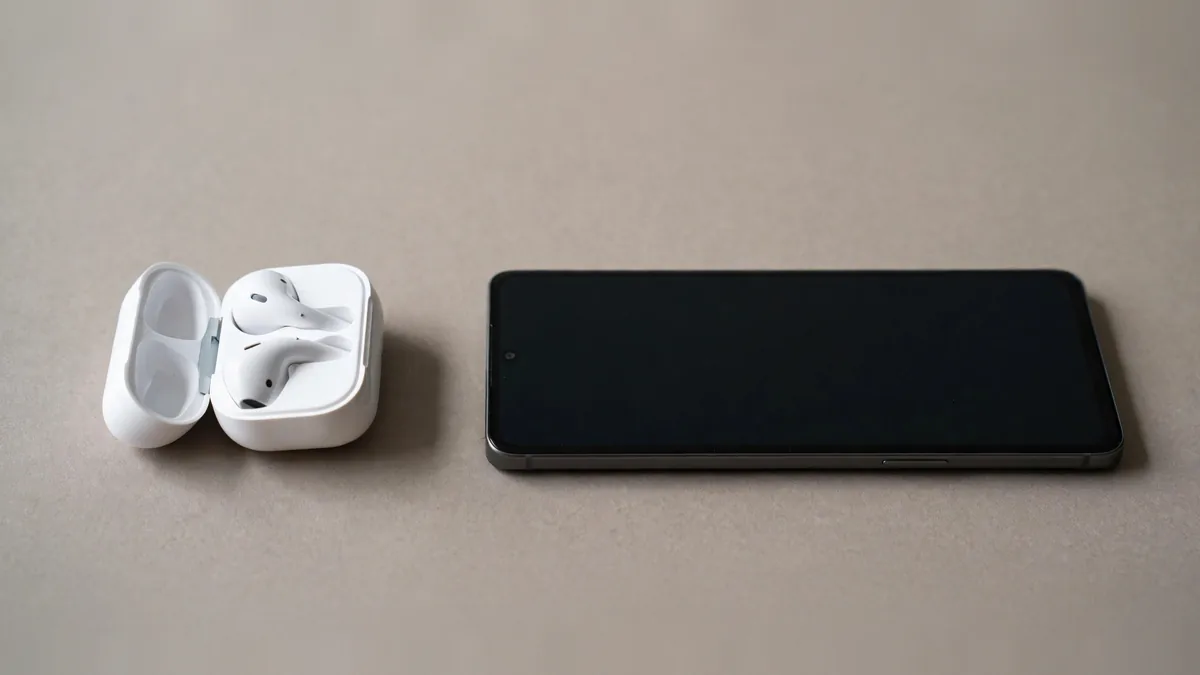
Do AirPods work with Android? Yes. You can pair them as a Bluetooth headset for listening and calls. The bigger question is what happens after pairing. If you already own a pair and move between an Android phone and a Mac, the answer may be good enough. If you are buying earbuds specifically for Android, compare how easily you can see battery levels, change controls and manage updates on the phone you carry.
You don't need an extra app for ordinary Bluetooth pairing. Have the AirPods and case charged before you start, and check which generation you have so you know how to put it in pairing mode.
Open Bluetooth settings and put the buds in pairing mode
On Android, open the Bluetooth settings and look for the option to pair a new device. On a Samsung phone, this is usually under Connections. The names can vary across Android versions. Keep the phone close to the case while it searches.
For AirPods 1, 2 and 3 or AirPods Pro 1 and 2, Apple says to open the lid with the earbuds inside and hold the case's rear setup button until the light flashes white. On AirPods 4 and AirPods Pro 3, open the case with the earbuds inside and double-tap the front. For AirPods Max, hold the listening mode button until the light flashes white. Select the AirPods when they appear in Android's device list. Check Apple's pairing guide if the light doesn't behave as expected.
Play a short recording, then make a call. If a call comes through the phone's speaker, check the audio route in the call screen and look at the Bluetooth device settings for call audio. If the AirPods connect to a nearby Apple device instead, disconnect them there while you set up the Android connection.
Check the features you use without thinking
Siri isn't available through AirPods when paired to Android. Expect to handle pairing through Bluetooth rather than through Apple's setup card. You also lose the convenience of Apple's device switching across devices signed in to the same account. If you spend the day alternating between an Android phone and an iPad, try switching manually so you know what the routine feels like.
Some controls belong to the earbuds themselves. On a model with a physical listening mode control, try it on the AirPods instead of looking for an Apple control panel on the Android phone. If you rely on noise cancellation or transparency, test both modes on the exact pair and confirm how you would change its settings. Model and configuration matter. Our AirPods Pro buying guide covers what to look for if those features are the reason you are buying a Pro pair.
Check what your Android phone shows for battery status. The level displayed can vary by phone and software, and you may not get the same left, right and case readings you see on an iPhone. Some third-party apps aim to display more information. Read their permissions and expect results to vary. For firmware updates and Apple-specific settings, check Apple's instructions and whether you have access to a compatible Apple device.
Test the pair the way you will use it
For calls, play back a voice recording and ask the person on the other end of a test call how you sound. Try it somewhere with normal background noise, not only in a quiet shop. Check whether the sound stays steady when you put the Android phone into your pocket. If you watch video on the bus, play a familiar clip and look for distracting delay between the speech and picture.
For a used pair, charge both buds in the case and listen to each independently. Check whether one side drops out or goes flat much sooner than the other. A short Bluetooth demo proves that something connects, but it won't tell you how long the pair lasts. If one side sounds dull, our AirPods cleaning guide explains how to check for dirt and fit problems without poking the mesh.
Ask the owner to remove the pair from their Apple Account where applicable. A working Bluetooth connection to your phone doesn't establish that the previous owner has cleared the account association. If the seller advertises original accessories or a particular charging case, check the exact generation and what is included.
Decide whether Apple or Android gets most of your listening time
Keeping AirPods you already like is straightforward if all you need is sound and calls. Buying a new pair for Android alone deserves a comparison with earbuds that offer an Android companion app. Look for battery details, controls and firmware updates you can manage without borrowing another device. Try the fit and microphone on both options before putting much weight on app features.
Check MacVault's accessories selection and confirm today's price for the exact model and condition if AirPods still make sense for your mix of devices. For a used pair, ask for a demo on your own phone if inspection is available. A minute trying to place a call and swap audio routes can save you guessing afterwards.
Frequently asked questions
Why do my AirPods show up in Bluetooth but play no sound?
Check which device Android is sending audio to and whether media audio is enabled for the connection. If the earbuds keep reconnecting to another device, temporarily disconnect them there and try again.
Can I pair AirPods to Samsung without downloading an app?
Yes. Put the AirPods in pairing mode and select them in the phone's Bluetooth settings. Extra apps aren't required for ordinary listening or calls.
Is there a way to see the case battery from Android?
Check what your phone reports first. A third-party app may offer more detail, but support varies, so verify the readings on the exact phone and case before relying on them.
Business: MacVault
Price Range: Expected price ranges confirmed before purchase
Phone: +92 339 4004289
Description: Browse iPhones, MacBooks, iPads, Apple Watch, AirPods, and PS5 products from MacVault in Lahore with clear condition, warranty, and stock details.
+92 339 4004289 <contact@macvault.store>