
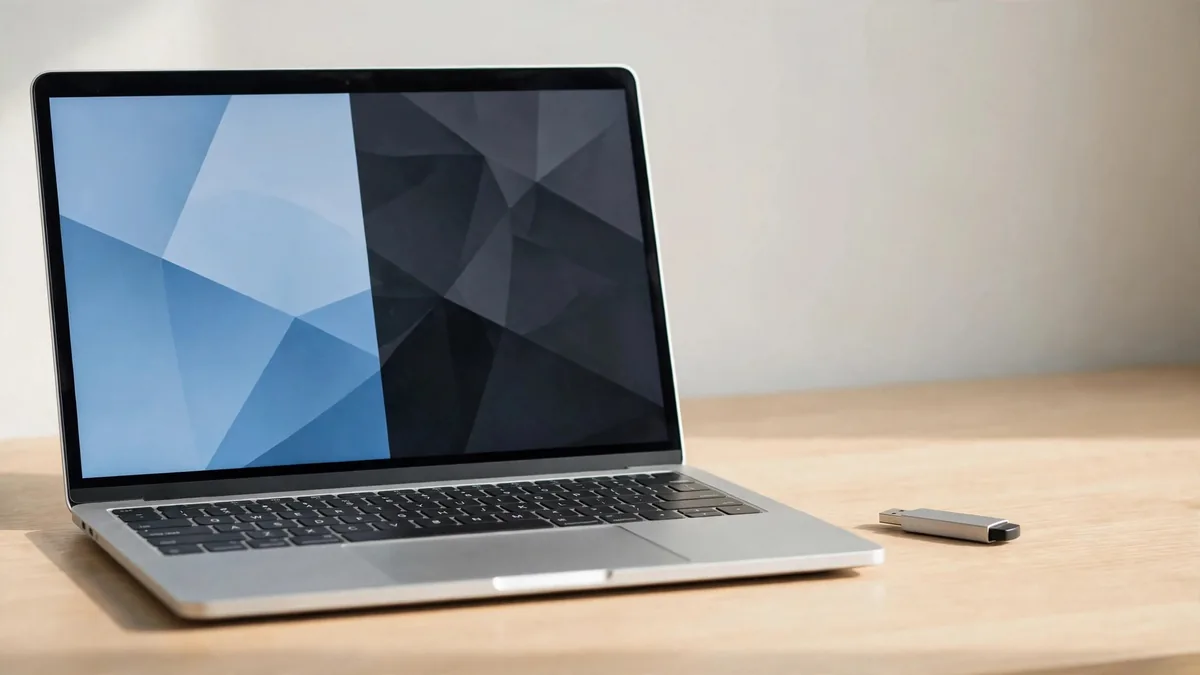
Whether you can install Windows on MacBook models you own or plan to buy depends almost entirely on the chip inside it. An older Intel MacBook can start up directly into Windows. A MacBook with an M1, M2, M3, M4 or M5 chip cannot, but it can run Windows inside a window on macOS using virtualisation software. Those two routes behave very differently, so the first job is to find out which kind of Mac you have or are about to buy.
Click the Apple menu and open About This Mac. If you see "Chip" followed by an Apple M-series name, it is Apple silicon. If you see "Processor" followed by an Intel name, it is an Intel Mac. Buying online? Ask the seller for a screenshot of that window.
Intel MacBooks: Boot Camp and dual booting
Intel Macs include an app called Boot Camp Assistant. It splits the internal drive into two parts, installs Windows on one of them and adds Apple's Windows drivers so the keyboard, trackpad, Wi-Fi and sound work. When you switch the Mac on, you hold the Option key and choose macOS or Windows. Windows then has the whole machine to itself, which suited gamers and engineers.
There are trade-offs to know before you start:
- Windows takes a fixed share of the drive. On a 128GB or 256GB Mac, that leaves both systems cramped.
- You need a licensed copy of Windows. A key printed on a sticker from a market stall is not a licence.
- Apple's Boot Camp support is aimed at Windows 10. Newer Windows versions have their own hardware requirements, so check Microsoft's current guidance before assuming an older Mac will update cleanly.
- Battery life and fan noise are usually worse under Windows than under macOS on the same machine.
If an Intel Mac is on your shortlist mainly for Boot Camp, read the Intel versus M1 comparison first. Older Intel models can run hot and lose battery health with age, and those costs matter more than the dual-boot feature for most buyers.
Apple silicon: Windows in a virtual machine
On M-series Macs, Boot Camp does not exist. Instead you install a virtualisation app such as Parallels Desktop or VMware Fusion, then install the Arm version of Windows 11 inside it. Windows runs in a window or full screen next to your Mac apps, and you can copy files between the two.
Microsoft has published support for running Windows 11 on Apple silicon through Parallels Desktop, and the Arm version of Windows can run many ordinary x86 Windows programs through built-in emulation. In practice, office software, browsers, many university tools and lighter design apps behave well. Each part of the setup is a separate cost or step: the virtualisation app, the Windows licence and the storage the virtual machine uses.
What tends to fail or struggle:
- Drivers. Software that installs its own low-level driver, such as some printer utilities, USB dongles, hardware programmers and VPN clients, may not work on Arm Windows.
- Games with anti-cheat. Many online games block virtual machines or need kernel-level components. Check the specific title before buying a Mac for it, and see the MacBook gaming guide for the wider picture.
- Heavy engineering tools. Some CAD, simulation and electronics packages are x86 only or depend on graphics features a virtual machine does not pass through fully.
- Memory. Windows and macOS share the same RAM. An 8GB Mac will run a light Windows setup, but a 16GB Mac gives far more room. The 8GB versus 16GB guide explains how to judge that for your workload.
Before you commit, search the software vendor's site for "Windows on Arm" or "Apple silicon" support. If your university department uses a specific tool, ask a senior student or the lab staff whether anyone runs it on an M-series Mac.
Checks before buying a Mac "with Windows installed"
In Lahore listings you will see MacBooks advertised as "Windows installed" or "dual OS". That phrase can mean three very different things, so ask the seller to clarify:
- Boot Camp on an Intel Mac. Ask how much of the drive Windows uses and whether the Windows copy is activated with a licence that transfers to you. Ask them to restart into each system in front of you or on a video call.
- A virtual machine on Apple silicon. Ask which virtualisation app is installed and whether its licence belongs to the seller's account. A subscription tied to their email will not continue for you after the sale.
- Windows only, macOS removed. On an Intel Mac this sometimes happens. You may need to reinstall macOS before you can update or sell it on, which takes time and a stable internet connection.
For any used Mac, the safest approach is to ask for a clean macOS installation and set up Windows yourself afterwards. Pre-installed software from an unknown source can carry activation problems or unwanted programs. Our guide on wiping a MacBook before selling shows what a properly reset Mac looks like when you first open it, which is worth knowing before you hand over money. If a Mac shows a remote management screen during setup, stop and read the MDM-locked MacBook guide before going further.
Which route suits which buyer
- You need Windows only for one or two apps: an Apple silicon Mac with a virtual machine is usually the smoother daily experience. You keep macOS battery life and switch to Windows when needed.
- You need Windows-only games with anti-cheat: a Mac is probably the wrong tool. A dedicated Windows laptop or a console will cause fewer headaches.
- You need a specific x86 driver or hardware tool: test it on Arm Windows first, or consider an Intel Mac with Boot Camp knowing its age and battery limits.
- You are unsure: list every Windows program you must run, then check each one against the vendor's Arm or Mac support pages before picking a model.
Storage matters in every case. A Windows virtual machine with a few programs can quickly use a large part of a small drive, so a 512GB model or a fast external SSD is worth weighing if Windows is a regular part of your work.
Frequently asked questions
Can I use Boot Camp on an M1 or newer MacBook?
No. Boot Camp Assistant is only available on Intel Macs. On M1 and later chips, Windows runs through virtualisation software such as Parallels Desktop or VMware Fusion rather than as a separate start-up system.
Will Windows slow down my Mac?
Only while it is running. A virtual machine uses memory, processor time and battery while open, so close it when you finish. On an Intel Mac with Boot Camp, macOS is not running at all while you are in Windows, so it does not slow macOS down.
Do I need to buy Windows separately?
Yes. Neither Apple nor a virtualisation app includes a Windows licence. Buy it from Microsoft or an authorised source so activation stays valid if you reinstall later.
Does running Windows void the Mac's warranty?
Installing software does not change the hardware, but warranty terms differ per unit. Ask the seller to confirm the warranty type and coverage in writing, and keep a clean macOS install ready if the Mac ever needs to go for checking.
Next step
If you are choosing a Mac partly for Windows, browse the MacVault Mac selection and note which listings are Intel and which are Apple silicon. Then send the model, RAM and storage you are considering to MacVault through the contact page, along with the Windows programs you need, so you can confirm the exact unit's specification before deciding.
Business: MacVault
Price Range: Expected price ranges confirmed before purchase
Phone: +92 339 4004289
Description: Browse iPhones, MacBooks, iPads, Apple Watch, AirPods, and PS5 products from MacVault in Lahore with clear condition, warranty, and stock details.
+92 339 4004289 <contact@macvault.store>