
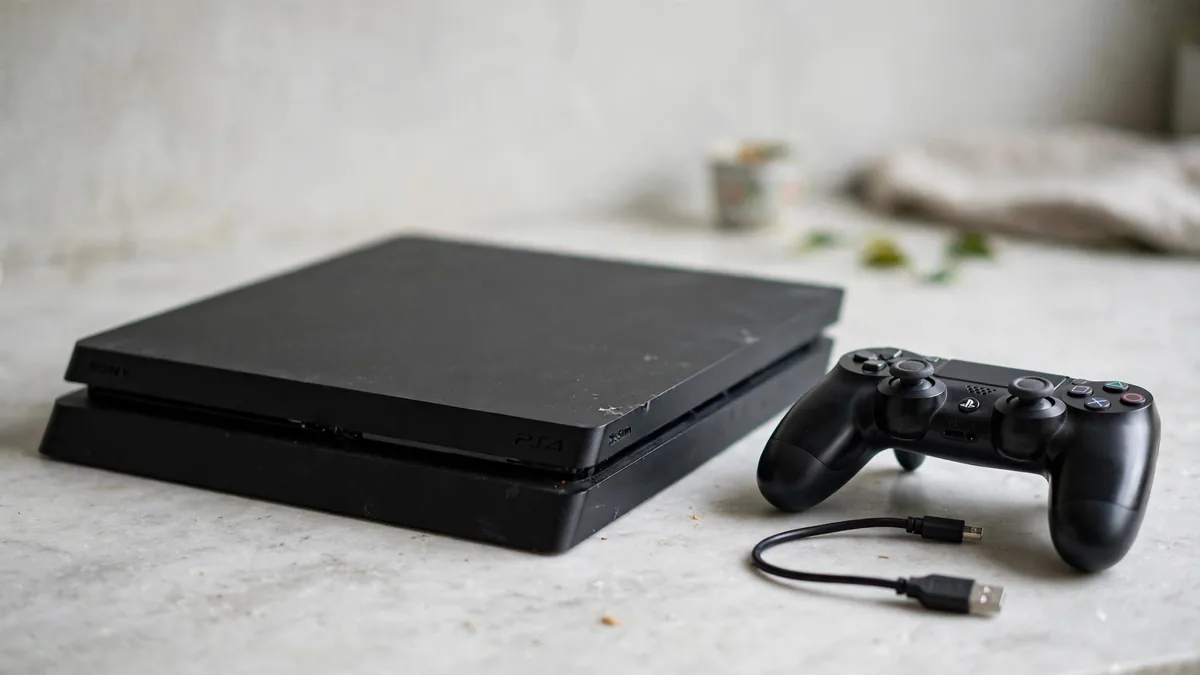
When comparing used PS4 Lahore listings, ask for a demo that starts with the console switched off and ends after you've played part of a game. The home screen can look fine on a machine that loses its picture once you touch the HDMI cable or shuts down after it warms up. Bring a disc you know works if the seller agrees, and choose a meeting place where the machine can stay plugged in long enough for you to test it.
Look up the exact model and what comes with it before the meeting. A Slim with a working controller and a bare Pro with an intermittent port make very different offers, even if both are described as clean.
Watch the picture from a cold start
Start with the case sitting on an open surface. Inspect the power and HDMI sockets in good light. Look for bent metal, cracks around the sockets or a connector that won't sit square. With the cables connected normally, turn on the console and listen while the TV finds the signal. Let it reach the menu, then open a game.
If the picture cuts out, use a known working HDMI cable and try another TV input. A loose socket on the console can produce the same symptom as a bad cable. Don't keep bending or forcing a connector to get a picture. Ask for a repair diagnosis or compare another console if the problem follows the PS4 across cables and inputs.
Check which leads the seller is actually including. A demo with the shop's cables tells you whether the console can work. Ask to test the cables going home with you if their cost is part of the deal.
Install or read a disc and play past the menu
Insert a clean PS4 game disc and listen for normal intake. Verify that the machine recognises it and ejects it properly. If time permits, try reading a game the console hasn't already installed. A title already on the machine can hide trouble with reading or copying part of a disc.
Test a second known working disc if the first one fails. Scratches can cause a read error on one disc. Repeated trouble across good discs or different games needs more investigation. PlayStation's guide to PS4 disc and storage errors explains why the error alone can point to more than one component.
Spend part of the visit playing an active section. Some fan noise in a demanding game is expected. A harsh rattle, temperature warning or shutdown is a reason to pause. Ask whether the console has been opened for cleaning or repair, and find out what work was done. If the seller offers only a quick menu demo, value the machine as one you haven't fully tested.
Check storage and the controller separately
Look at the capacity in Settings under Storage. Ask whether the internal drive has been replaced and whether an advertised total counts an external drive. A PS4 can show the expected capacity and still have storage trouble, so note long hangs, repeated copying errors and warnings about corrupted data. Run a game through loading a new area and see whether it saves and reopens normally if you have time.
Use the included controller untethered. Move each stick slowly through its range and release it in a game where the camera or character should stay still. Repeat with a different game or controller if you suspect drift. Test the shoulder buttons and triggers in play, then see whether the pad connects and charges over USB. A separate controller can be a sensible purchase, but include it in your comparison if the bundle pad fails.
Verify online access if you plan to use it
Ask the seller to show the console connecting to the internet and reaching PlayStation Network with permission to test. Wi-Fi working on its own only confirms the network connection. If online access fails, ask for the error code and check whether it points to a service outage, an account issue or a console restriction. Avoid relying on the seller's saved login as part of the sale.
Agree on how their accounts and data will be removed once checks are complete. If you mainly want one online game, verify that it still offers the PS4 mode you intend to play before spending money on the machine. If you mostly borrow local discs, focus on a drive that reads them and a controller you can use for a full match.
Take your test notes to MacVault's PS4 category and ask for today's price on a comparable unit with the same usable accessories. The PS4 price guide explains other reasons two quotes can differ. For delivery, confirm which checks can be demonstrated on video and agree on how a fault found at arrival will be handled.
Frequently asked questions
Can I test a disc drive if the game is already installed?
You can check intake, recognition and eject. For a stronger reading test, use a known working game that isn't already installed and watch it begin to copy data.
Is a loud PS4 always faulty?
Fans can speed up during a game. Listen for grinding and check whether the machine shows a temperature warning, loses power or behaves differently as it warms up.
How do I know the controller in the demo is the one I get?
Ask to play with the actual included pad before paying. For remote orders, ask the seller to show the pad alongside the console and then demonstrate that pad connecting and responding during play.
Business: MacVault
Price Range: Expected price ranges confirmed before purchase
Phone: +92 339 4004289
Description: Browse iPhones, MacBooks, iPads, Apple Watch, AirPods, and PS5 products from MacVault in Lahore with clear condition, warranty, and stock details.
+92 339 4004289 <contact@macvault.store>