
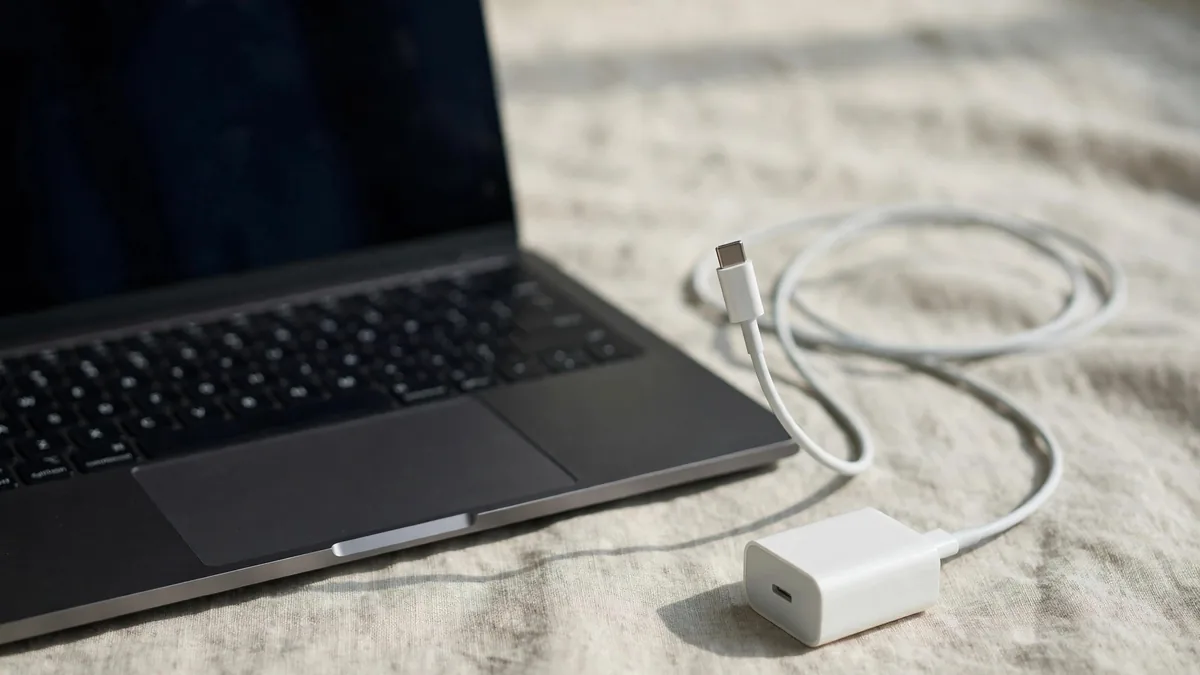
A MacBook not charging is one of the most stressful things to see in the menu bar, especially in the middle of a semester or a client deadline. Before assuming the battery or the logic board has died, work through the simple causes. Most of the time the fault is in the adapter, the cable, the port or a setting that is doing exactly what it was designed to do.
Go through the checks below in order. Each one rules out a part of the chain from the wall socket to the battery, so by the end you will know whether you need a new cable, a cleaner port, a settings change or a proper repair.
First, read what the battery icon says
Click the battery icon in the menu bar. macOS usually tells you more than people expect.
- "Not Charging" with the adapter connected can mean the Mac is deliberately holding the charge, the adapter is too weak, or the battery is too warm.
- "Charging On Hold" or a note about optimised charging means macOS is pausing on purpose.
- "Power Source: Power Adapter" with the percentage stuck can mean the Mac is running from the adapter but not filling the battery.
- No adapter shown at all means the Mac is not detecting power. Start with the socket, adapter and cable.
Optimised charging and the 80% hold
Many owners panic when the battery sits at 80% for hours. That is often Optimised Battery Charging at work. macOS learns your routine and holds the charge around 80% to reduce battery wear, then finishes charging before it expects you to unplug.
On a Mac that stays plugged in on a desk most of the day, this is normal and good for the battery. If you need a full charge today, click the battery icon and choose to charge to full now, or open System Settings, then Battery, and review the battery health options. Apple explains its approach on its batteries page.
Heat also pauses charging. On a hot Lahore afternoon, a MacBook on a bed or sofa with no airflow may stop charging until it cools. Move it to a hard surface in a cooler room and check again after a few minutes.
Test the adapter and cable separately
The adapter and cable are the most common failure points, and both can be tested without tools.
- Plug the adapter into a different wall socket, not an extension board. Loose sockets and overloaded boards are common in older homes.
- If you use a UPS or inverter during load-shedding, test on mains power too. Some inverter outputs make adapters behave oddly.
- Swap the cable if you have another good USB-C charging cable. Cables fail at the ends where they bend.
- Try a different adapter of suitable wattage if a friend or family member has one.
- Check the adapter's prongs and the cable's ends for burn marks, bent pins or melted plastic. If you see any, stop using it.
A low-wattage phone charger may keep a MacBook alive but will not charge it properly under load. Copies of Apple adapters are a bigger risk: many look identical but deliver less power or overheat. Our MacBook charger price guide explains wattage and how to spot a fake before you buy a replacement. If you search for macbook charger price in pakistan, compare the wattage and connector, not only the price.
Check the MacBook charging port and MagSafe
If the adapter and cable work on another Mac, look at your own MacBook charging port.
USB-C or Thunderbolt ports: shine a torch inside. Lint, dust and grit collect in ports, especially if the MacBook travels in a bag. Remove debris carefully with a wooden toothpick or a soft brush with the Mac shut down. Never use metal pins or blow into the port. Then try every USB-C port on the Mac; most MacBooks can charge from any Thunderbolt port. If one port works and another does not, the fault is in that port, not the battery.
MagSafe 3: MacBook Air M2 and later, and recent MacBook Pro models, use MagSafe 3. Check the connector and the port for debris; MagSafe magnets attract tiny metal particles. Wipe with a dry cloth. When connected, the light on the connector shows amber while charging and green when full. No light at all points to the cable, adapter or port; a USB-C cable test shows whether only MagSafe has failed.
Restart and reset the power controller
Software glitches can stop charging even when the hardware is fine.
On an Apple silicon Mac (M1, M2, M3, M4, M5), shut it down completely, leave it for at least thirty seconds with the adapter connected, then turn it on. These Macs do not have a separate SMC reset; a full shutdown does the equivalent job.
On an Intel MacBook, an SMC (System Management Controller) reset often fixes charging that has stopped for no reason. The exact key combination depends on whether the Mac has the T2 security chip, so follow Apple's SMC reset instructions for your model.
Also install pending macOS updates. Battery and power management fixes arrive through them.
When Battery Service means replacement
Open System Settings, then Battery, and check the battery condition. If it shows Service Recommended, the battery is holding much less charge than it did new, or macOS has detected a fault. A Mac in this state may refuse to charge past a point, drain very fast or shut down at a percentage that should be safe.
Check the cycle count too. Our battery cycle count guide shows where to find it and what the numbers mean. A battery with a high count and Service Recommended is ready for macbook battery service. A swollen battery, which can lift the trackpad or make the base rock on a table, needs attention straight away. Stop charging it and get it checked.
If the battery looks healthy but the Mac still will not charge after every test above, the fault may be on the logic board's charging circuit. That is a technician's job, not a home fix. Ask for a written diagnosis and the warranty that comes with the repair before agreeing to work.
Buying a used MacBook with charging in mind
If you are shopping second-hand, charge the Mac in front of you and watch the percentage rise. Check battery condition, cycle count and every port. You can browse current machines on the Mac page and see listed battery or cycle details, and pick up a genuine adapter or cable from accessories. Message MacVault on WhatsApp with the model you have if you need to confirm which adapter suits it.
Frequently asked questions
Why does my MacBook stop charging at 80%?
Usually this is Optimised Battery Charging holding the level to reduce wear. You can tell it to charge to full from the battery menu when you need the extra time away from a socket.
Can a phone charger charge a MacBook?
A low-wattage USB-C charger may slow down the drain or charge very slowly while the Mac sleeps, but it is not enough during real work. Use an adapter with suitable wattage for your model.
Does an SMC reset work on M1 or newer MacBooks?
Apple silicon Macs have no separate SMC reset. A complete shutdown, a short wait and a restart does the same job.
Is it safe to keep using a MacBook that says Service Recommended?
It can usually run on the adapter, but expect short battery life and sudden shutdowns. If the case is bulging or the trackpad is lifting, stop using it and have the battery inspected.
Business: MacVault
Price Range: Expected price ranges confirmed before purchase
Phone: +92 339 4004289
Description: Browse iPhones, MacBooks, iPads, Apple Watch, AirPods, and PS5 products from MacVault in Lahore with clear condition, warranty, and stock details.
+92 339 4004289 <contact@macvault.store>