
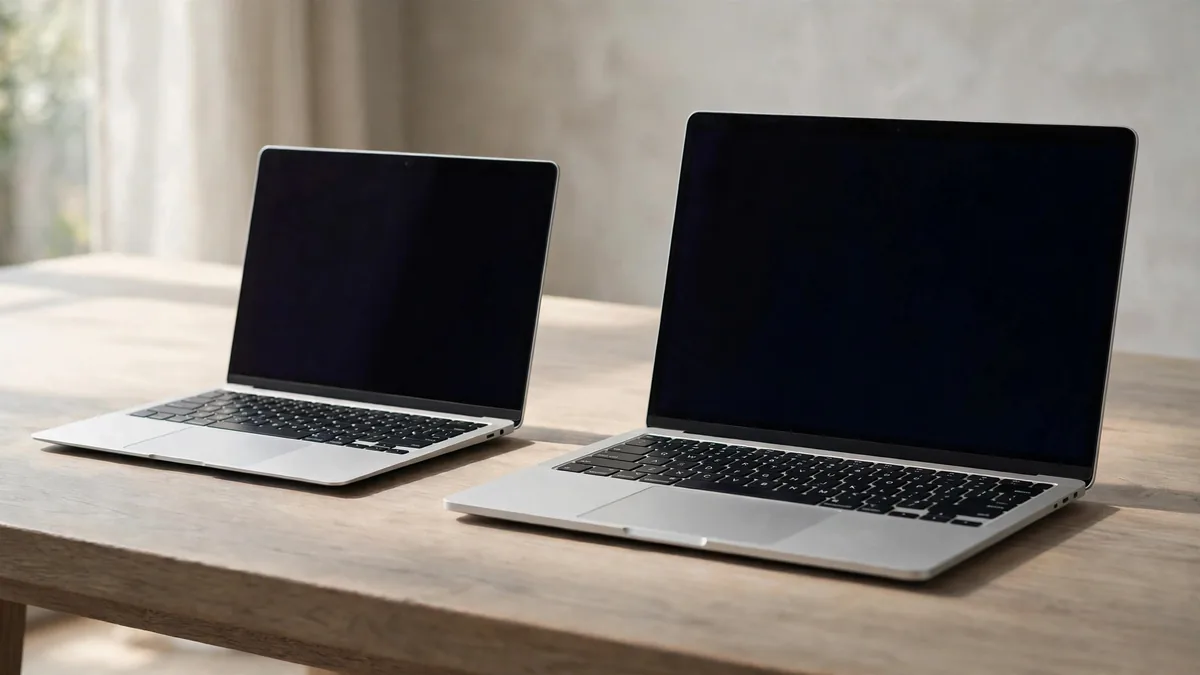
A MacBook Air 13 vs 15 inch decision gets easier when you bring the bag you use and open two windows you normally keep beside each other. The larger Air can make a monitor-free desk more comfortable. The smaller one leaves more room in a bag and takes up less of a cramped table. You notice the first difference when you start working and the second every time you move.
Compare sizes within the same generation and with the same memory and storage. If one quote is for a newer chip or larger drive, separate that cost before deciding what the bigger screen is worth.
Try the smaller Air where you actually carry it
Slide a 13-inch model into your usual bag with its charger and whatever else you carry. Check whether you can remove it without pulling out notebooks or a water bottle. If your commute takes you between classrooms and small café tables, think about where the laptop sits when it is open. A machine can be light enough to carry and still feel too wide for the available surface.
The 13-inch Air suits someone who often packs up and moves during the day. If you already use a monitor at home, the laptop screen may only need to cover travel and short tasks. See the Air generation comparison for the separate question of how many external displays each chip generation can support.
Check how you feel typing away from the desk. If you often prop the machine on your knees during a power cut or use a shallow writing table, try a similar position with both sizes. A bigger device may still be comfortable, but you can tell more from a few minutes of actual typing than from holding it closed in a shop.
Make sure the 15-inch display buys usable room
Open a document and a source page side by side. Try reading each without zooming. The larger Air is worth considering if you want to leave a spreadsheet or design panel open without covering the main window. For someone who spends all day with one full-screen app and plugs into a larger monitor in the evening, the smaller screen may do everything required.
Use a file you recognise. A spreadsheet with your usual columns or a course handout with narrow text can show whether the extra display area removes a daily annoyance. Check the scaling you prefer as well. If you use larger text, the 15-inch may make it easier to keep both windows visible without shrinking the text.
Apple's 15-inch M4 specifications list a six-speaker system. If you rely on the built-in speakers for calls, films or teaching material, play a familiar voice clip on both sizes at similar volume. If you usually wear headphones, keep the display and fit at the centre of the choice. There is little value in paying for a difference you won't hear in your routine.
Compare unplugged time under the same task
The 15-inch M4 has a larger battery than the 13-inch M4, but Apple rates both sizes for up to 18 hours of video streaming under its test conditions. A larger display can use more power, and your mix of calls, browser tabs and screen brightness can change the result. Buy the size that fits your work first, then check how the exact unit behaves unplugged.
For a used purchase, read the battery condition and cycle count and try the laptop away from its charger. The MacBook battery cycle guide explains what the count can and can't tell you. A 15-inch unit with a tired battery is a different offer from a new 13-inch, even before you compare its size. If you work through load-shedding, consider how long you normally need the laptop and what you do during that time.
Try the included charger as well. If you intend to leave an adapter at the office and carry another one, include that cost when comparing the full package. It may affect the weight you take with you more than the number on the laptop's own spec sheet suggests.
Work out what the larger model costs you
Ask for a 13-inch and 15-inch quote with matching chip generation, memory, storage and condition. If one includes a different keyboard layout or written coverage, record that separately. Decide whether a larger display would save you from buying an external monitor or make it easier to work from more places. If you would buy the same monitor either way, value the extra screen only for the time you use the laptop on its own.
Browse MacVault's Mac selection and confirm today's price for both configurations. Bring the same file and bag to a Lahore inspection if one is available. The right size should feel like a clear improvement in either the way you work or the way you carry it.
Frequently asked questions
Does the 15-inch Air automatically last longer on battery?
Compare Apple's test figures for the exact generation and check the actual unit's condition. Display use, workload and battery wear affect how long it runs away from the charger.
Which size is better if I already own a monitor?
Try the 13-inch for the places where you work away from the monitor. Move up if you still spend long sessions without the external screen and regularly need room for two windows.
Should I choose a 15-inch Air with less storage to stay on budget?
Check which compromise would bother you more. If you often work away from a drive and already run short of space, compare a 13-inch with the right capacity before giving up internal storage.
Business: MacVault
Price Range: Expected price ranges confirmed before purchase
Phone: +92 339 4004289
Description: Browse iPhones, MacBooks, iPads, Apple Watch, AirPods, and PS5 products from MacVault in Lahore with clear condition, warranty, and stock details.
+92 339 4004289 <contact@macvault.store>