
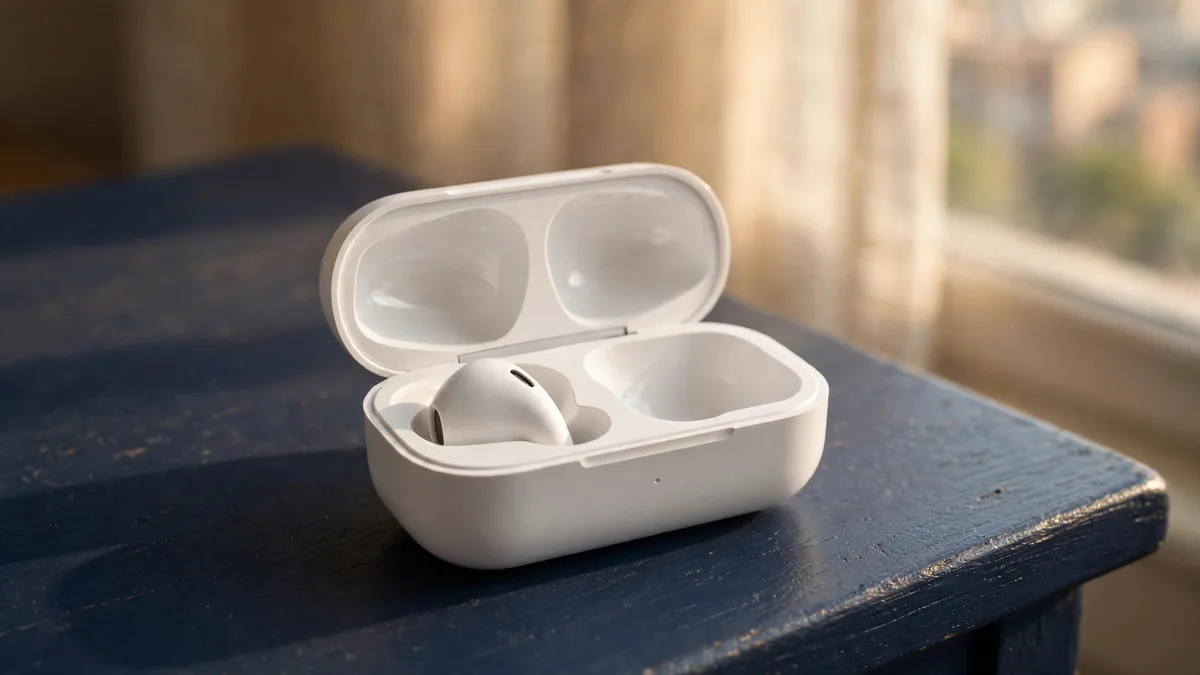
Losing one AirPod is oddly painful. The other bud still works, the case still charges, and yet the set feels useless. Before you start hunting for a lost AirPod replacement, give the search a proper try, because AirPods often turn up in a car seat, a jacket pocket or under the sofa cushions.
If the bud really is gone, you have more options than buying a whole new pair. This guide walks through finding it, replacing a single bud or the case, pairing the new part and avoiding the mismatched or fake parts that circulate in Pakistan.
Search with Find My before you buy anything
The Find My AirPods feature works from the Find My app on your iPhone, iPad or Mac, as long as Find My was switched on for the iPhone the AirPods are paired with.
- Open Find My and tap the Devices tab.
- Select your AirPods. If the buds are separated, the map can show each one's last known position.
- If a bud is nearby and connected, tap Play Sound. You can choose left or right so you know which one is chirping.
- On models that support it, use Find Nearby for directions when you are close.
Newer models are easier to find. AirPods Pro 2 and AirPods Pro 3, plus AirPods 4 with Active Noise Cancellation, have a case with a speaker, so a lost case can play a sound too. Older models such as AirPods 2 can only show the place where they last connected to your device.
Play the sound in a quiet room and walk slowly. The chime is small and easy to miss over a ceiling fan or traffic outside. If the map shows a location away from home, such as a friend's car or your office, call ahead before you write the bud off.
If Find My shows nothing at all, check whether the bud's battery has run flat. A dead AirPod cannot report a fresh location, so the last known spot is your best clue.
Your replacement options
Once you are sure the bud is lost, compare these routes.
Apple's own replacement. Apple offers a paid service to replace a lost or damaged AirPod or case. There is no Apple Store in Pakistan, so this usually means going through an Apple Authorised Service Provider or arranging service in another country. Ask the provider in writing whether they can source the part for your exact model and how long it will take. Our guide on authorised Apple service in Pakistan explains how to confirm that a shop really is authorised.
A genuine single bud from the market. A single AirPod replacement is commonly sold in Lahore by people who had their own buds lost or damaged. These can work well, but only if the bud is genuine and the same model and generation as yours.
A whole new set. If your remaining bud has weak battery life or you have lost more than one part over time, a new pair may be the better use of money. A mix of a tired original bud and a fresh replacement can also leave you with uneven battery life between the ears.
Do the maths for your own case. If your AirPods are several years old, compare the replacement route against moving to a newer model.
Replacing a lost case
An AirPods case replacement follows the same logic as a lost bud. The case must match your AirPods model exactly. AirPods 4 cases differ between the standard and ANC versions, AirPods Pro cases differ between generations, and older cases may be Lightning while newer ones are USB-C.
Check what you need before shopping. On your iPhone, connect the remaining bud, then go to Settings, tap your AirPods name, and look at the model and serial number. Write that down and send it to the seller. Ask them to confirm, with a photo, the model printed inside the lid or on the case.
A case from the wrong generation may not pair, or may pair and then misreport battery levels. Do not buy on the basis that "it looks the same".
Pairing the replacement part
A genuine replacement bud or case needs to be paired with your existing parts before they work as a set. Apple's general process is:
- Put both AirPods in the case and close the lid for about 30 seconds.
- Open the lid near your iPhone.
- If an on-screen prompt appears, follow it.
- If nothing appears, reset the AirPods using the steps for your model on Apple's support pages. On many cases this means holding the setup button on the back until the light flashes amber, then white. AirPods 4 use a double tap on the front of the case instead of a button.
- Pair them as a new set from the iPhone.
If the replacement part has older firmware than the rest of the set, they may behave oddly at first. Keep the AirPods charging in the case, near your iPhone with internet access, and the update usually completes on its own. Apple's AirPods support pages list the current firmware version for each model.
Avoiding mismatched and fake parts
Single buds are where fakes slip in easily, because a buyer cannot compare a lone bud with the original box. Protect yourself with these checks:
- Pair it before paying. A genuine bud pairs with your genuine case and shows up correctly in iPhone settings with the right model name.
- Check the serial number. The serial shown in Settings should be accepted on Apple's coverage page, though that only proves the number is real, not that it belongs to that bud.
- Test both ears. Play the same track and listen for a difference in volume or sound quality. Try noise cancellation and Transparency on Pro models.
- Watch the battery. Check that both buds report battery levels in the widget.
Our fake AirPods check goes deeper into what copies get wrong, from the pairing animation to the case hinge.
If a seller will not let you pair the bud before handing over money, walk away. That one test settles most doubts.
Frequently asked questions
Can I buy just one AirPod instead of a full set?
Yes. Apple offers single AirPod and case replacements through its service channels, and single buds are also sold on the used market. Make sure the replacement is the same model and generation as your remaining parts.
Can someone else use my lost AirPod?
A single bud is of little use without a matching case to pair it through, which makes a stray bud less attractive to keep. Even so, Find My does not guarantee you will get it back, so treat the search as a time-limited effort before you replace it.
Will a replacement AirPod have a different battery life from my old one?
Often, yes. A new bud will usually last longer than a bud that has been charged daily for years. If the difference bothers you, a fresh full set may be more comfortable than a mixed one.
Does Find My work if my AirPods are out of battery?
It can show the last location where the AirPods were connected to your device, but it cannot play a sound or update their position while the battery is dead.
Next step
If you decide a new pair is the simpler answer, browse the MacVault Apple range or accessories, then message on WhatsApp with the AirPods model you want. Ask for current photos of the exact box and its serial number before you pay.
Business: MacVault
Price Range: Expected price ranges confirmed before purchase
Phone: +92 339 4004289
Description: Browse iPhones, MacBooks, iPads, Apple Watch, AirPods, and PS5 products from MacVault in Lahore with clear condition, warranty, and stock details.
+92 339 4004289 <contact@macvault.store>