
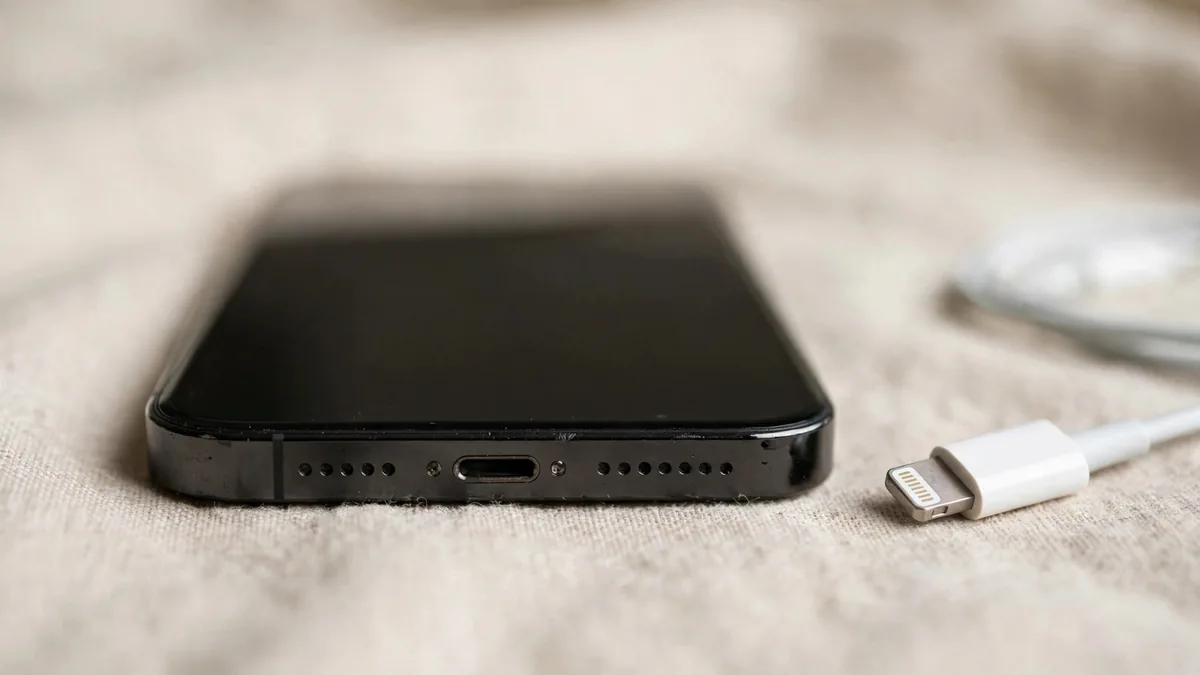
When an iPhone charging port is not working, the port itself is often fine. The usual culprits are a tired cable, a weak adapter, a plug that won't seat because of pocket lint, or software that has paused charging on purpose. A genuinely damaged port is less common than people fear, and it is usually the last thing to blame.
The aim here is to narrow it down cheaply. Work from the outside in: power source, cable, port, then the phone. If your iPhone is not charging at all, or only charges at a certain angle, the steps below will tell you which part to fix before you spend money on a repair.
Which port does your iPhone have?
iPhone 14 and earlier models use Lightning. iPhone 15 and later use USB-C. The checks are similar, but the cables are not interchangeable, and USB-C cables vary much more in quality. A USB-C cable that charges an Android phone may still be poor at charging an iPhone quickly, and some cheap ones barely work at all.
Rule out the cable and adapter first
Before touching the port, swap everything else:
- Try a different cable you know works, ideally an Apple one or a well-made certified one.
- Try a different power adapter, or plug into a laptop's USB port.
- Try a different wall socket. In homes with unstable voltage, a weak or damaged socket is common, and a UPS or inverter output can also behave oddly.
- Remove any thick case in case it stops the plug pushing all the way in.
If the phone charges with the second cable, you have your answer. Lightning cables in particular fray near the plug, and copy cables can stop working after an iOS update or show the "accessory may not be supported" message. Our guide to original iPhone cables in Pakistan shows how to spot a poor one.
Check for lint and debris
Pocket lint is the most common reason a good cable feels loose. Over months it packs into the bottom of the port, so the plug no longer clicks in fully. The symptom is a cable that charges only when you hold it at an angle, or a plug that sticks out slightly.
Turn the phone off and shine a torch into the port. Look for grey fluff, sand or grit at the back. To clean an iPhone charging port, keep it gentle and dry:
- Use a wooden or plastic toothpick, not a metal pin or needle, and lightly scrape along the back wall to lift the lint out.
- Do not push hard against the contacts on the sides or the centre tab in a USB-C port.
- Don't use water, sprays, alcohol drops or compressed air blasted straight into the port.
If you are not comfortable doing this, a technician can clean it in a couple of minutes. A careless attempt with a SIM pin can scratch contacts and turn a free fix into a repair.
Check the software side
Some charging problems are iOS doing its job rather than a fault:
- Optimised Battery Charging can hold the phone at a certain percentage and finish later, based on your routine. On newer models there may also be a charging limit setting. Check Settings > Battery before assuming the port is failing at a fixed level.
- Heat pauses charging. If the iPhone is hot from summer weather, a dashboard or gaming, it may stop around a certain percentage until it cools. This is especially common in Lahore summers.
- Liquid detected alerts appear if moisture is found in the port. Unplug, leave the phone to dry with the port facing down, and don't force charging unless it is an emergency.
Restart the phone too. A frozen process occasionally stops charging from being recognised until a reboot.
Use wireless charging to isolate the fault
Every iPhone from iPhone 8 onward supports wireless charging. Put the phone on a Qi or MagSafe charger. If it charges wirelessly but not by cable, the battery and charging system are likely fine and the problem is in the port, cable or connector. If it doesn't charge either way, the issue is deeper, such as the battery or the board, and a port repair alone won't fix it.
When a repair is needed
If a clean port and known good cables still don't charge, the connector may be worn, bent or corroded, often after water exposure. On most iPhones the charging port sits on a flex assembly that also carries the microphones, so a repair is more than a plug swap. Ask the repairer:
- What exactly they will replace, and whether the part is original or a copy.
- Whether the microphones and speaker will be tested after the work.
- What warranty they give on the repair, in writing.
For an iPhone charging port repair in Lahore, Apple's own route is through Apple and its authorised service providers, while many owners use independent shops in places like Hafeez Centre. Prices and quality vary widely, so compare quotes and ask for the faulty part back. Some repairs on newer models can also trigger a parts message in Settings. You can check whether you are covered by Apple warranty or AppleCare on Apple's coverage page.
Checking the port on a used iPhone before buying
A weak port is easy to miss in a quick showroom test. When buying second hand, bring your own known good cable and:
- Plug it in and check that it clicks in firmly with no wobble.
- Watch for the charging sound and lightning bolt icon within a few seconds.
- Gently move the cable up and down. Charging should not cut in and out.
- Shine a light into the port for lint, green or white corrosion, or bent contacts.
- Test data too, if you can, by connecting to a laptop.
Corrosion in the port can be a sign of past water damage, so read our iPhone water damage check as well. On any phone you buy, ask whether the port or flex has been replaced.
Frequently asked questions
Why does my iPhone charge only when the cable is held at an angle?
Usually lint has built up at the back of the port, so the plug doesn't seat fully. Turn the phone off and gently clean the port with a wooden or plastic toothpick. If it still needs holding, the cable or the port contacts may be worn.
Is it safe to clean an iPhone charging port with a SIM pin?
It's better not to. A metal pin can scratch or bend the contacts and cause a short. Use something non-metallic and gentle, or let a technician do it.
My iPhone charges wirelessly but not with a cable. What does that mean?
The battery and charging system are probably working. The fault is likely in the cable, adapter or port. Try known good cables first, then clean the port before considering a repair.
Why does my iPhone stop charging at 80 percent?
This is often Optimised Battery Charging, a charging limit setting on newer models, or heat pausing the charge. Check the battery settings and let the phone cool before assuming the port is faulty.
Next step
If your old cable turned out to be the problem, browse MacVault's cables for a replacement that suits your port. If you'd rather move to a newer phone, check the iPhone page and message us on WhatsApp to confirm today's price and see current photos of the exact unit.
Business: MacVault
Price Range: Expected price ranges confirmed before purchase
Phone: +92 339 4004289
Description: Browse iPhones, MacBooks, iPads, Apple Watch, AirPods, and PS5 products from MacVault in Lahore with clear condition, warranty, and stock details.
+92 339 4004289 <contact@macvault.store>